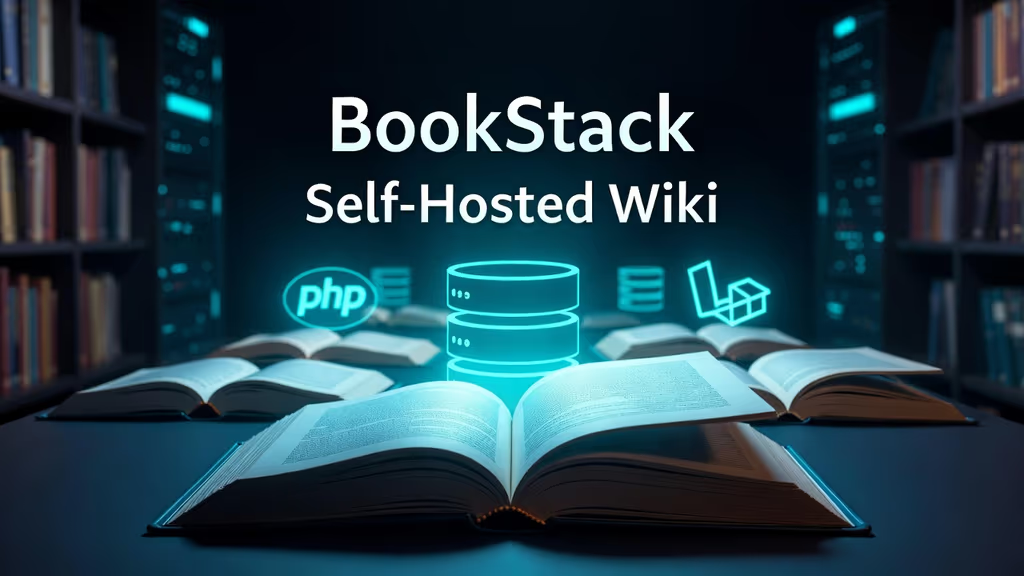
Caption: Self-hosted BookStack wiki and documentation platform.
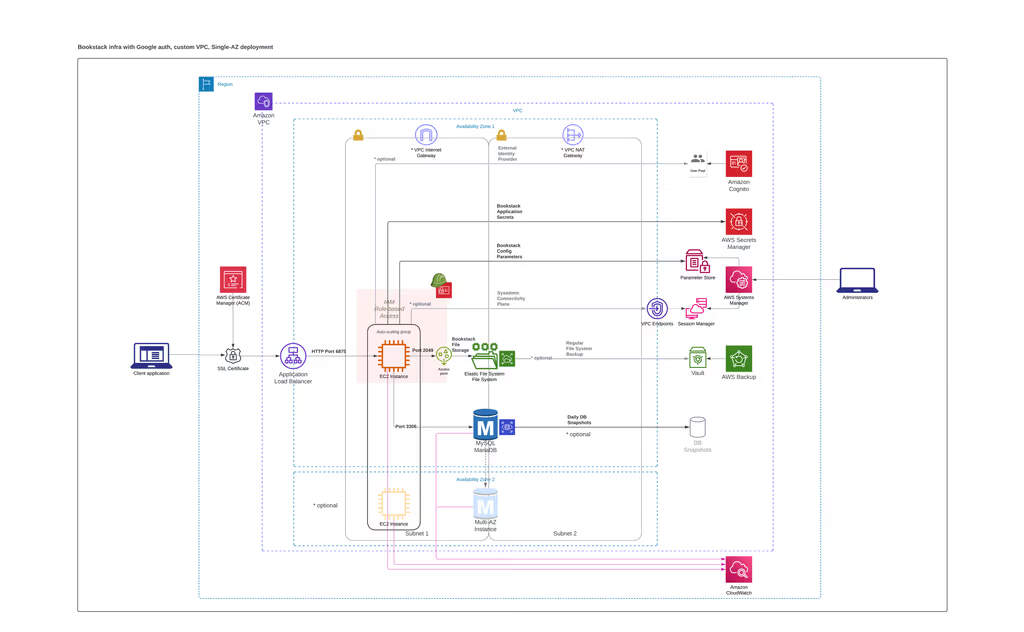
Caption: BookStack Infrastructure.
Introduction
I wanted docs in a hierarchy I can explain: shelves, books, chapters, pages. Confluence is heavy. Notion is someone else’s disk. BookStack is PHP/Laravel on MySQL/MariaDB, WYSIWYG (Markdown optional), diagrams.net, search, revisions, roles, MFA. I installed it on a fresh Ubuntu 24.04 LTS box with Apache, because that is the path their admin docs still treat as normal.
On a fresh Ubuntu 24.04 box this install is famous for Composer succeeding as root and then a 500 because storage/ and public/uploads are not writable by the Apache user.
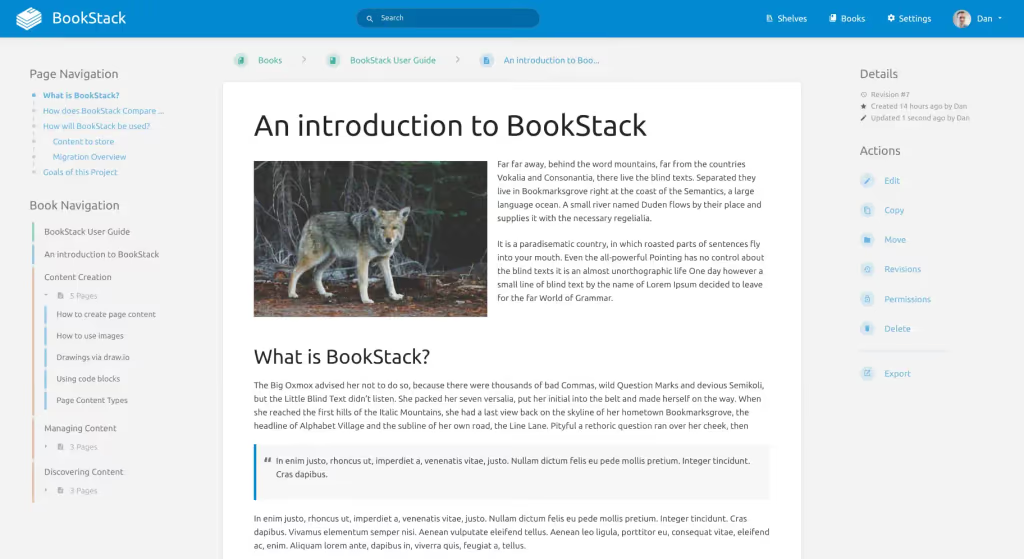
Caption: BookStack Dashboard.
Where it broke
1. Permission denied after Composer
On a fresh Ubuntu box this is the failure this install is famous for. Clone and composer install ran with sudo. www-data cannot write logs or uploads.
file_put_contents(.../storage/framework/views/...): Failed to open stream: Permission denied
Fix from this post:
sudo chown -R www-data:www-data /var/www/bookstack
sudo chmod -R 755 storage bootstrap/cache public/uploads
sudo chmod -R 775 storage/logs bootstrap/cache public/uploads
2. 500 / blank page — config cache or missing .env bits
No application encryption key has been specified.
or a blank page with a line in storage/logs/laravel.log.
sudo php artisan key:generate
sudo php artisan config:clear
If Apache rewrite is off, you get odd 404s instead of Laravel routing. a2enmod rewrite and AllowOverride All are in the vhost below.
Prerequisites
Hardware:
- 2+ CPU cores
- 2 GB RAM (4 GB+ if the wiki is busy)
- 20+ GB disk (images add up)
- Ubuntu 24.04 LTS
Access: sudo, a hostname for HTTPS, Git, Composer, PHP 8.2+, MariaDB 10.6+ / MySQL 8, Apache (this write-up) or Nginx.
PHP extensions: curl, dom, gd, iconv, mbstring, mysqlnd, openssl, pdo, pdo_mysql, tokenizer, xml, zip. I also install bcmath, intl, ldap when I know SSO is coming.
sudo apt update && sudo apt upgrade -y
sudo apt install curl wget git unzip -y
Installation Guide
Manual install, Apache, official release branch.
1. LAMP pieces
sudo apt install apache2 mariadb-server mariadb-client -y

sudo apt install php php-cli php-fpm php-curl php-mysql php-gd php-mbstring php-xml php-zip php-bcmath php-intl php-ldap php-opcache -y

sudo a2enmod rewrite php$(php -r 'echo PHP_MAJOR_VERSION.".".PHP_MINOR_VERSION;')
sudo systemctl restart apache2
2. MariaDB
sudo mysql_secure_installation
sudo mysql -u root -p
CREATE DATABASE bookstack CHARACTER SET utf8mb4 COLLATE utf8mb4_unicode_ci;
CREATE USER 'bookstackuser'@'localhost' IDENTIFIED BY 'StrongPasswordHere123!';
GRANT ALL PRIVILEGES ON bookstack.* TO 'bookstackuser'@'localhost';
FLUSH PRIVILEGES;
EXIT;
3. Composer
curl -sS https://getcomposer.org/installer -o composer-setup.php
sudo php composer-setup.php --install-dir=/usr/local/bin --filename=composer
rm composer-setup.php
4. BookStack source
sudo mkdir -p /var/www/bookstack
cd /var/www
sudo git clone https://source.bookstackapp.com/bookstack.git --branch release --single-branch bookstack
cd bookstack

sudo composer install --no-dev --no-plugins --optimize-autoloader
--no-dev is the production flag already in this post. PHP CLI must match what Apache uses.
5. .env
sudo cp .env.example .env
sudo php artisan key:generate
APP_ENV=production
APP_DEBUG=false
APP_URL=http://your-domain.com

DB_CONNECTION=mysql
DB_HOST=127.0.0.1
DB_PORT=3306
DB_DATABASE=bookstack
DB_USERNAME=bookstackuser
DB_PASSWORD=StrongPasswordHere123!

MAIL_DRIVER=smtp
MAIL_HOST=smtp.example.com
MAIL_PORT=587
MAIL_USERNAME=your-email@example.com
MAIL_PASSWORD=yourpassword
MAIL_ENCRYPTION=tls
MAIL_FROM_ADDRESS=noreply@your-domain.com
MAIL_FROM_NAME="BookStack"
Newer Laravel mail config may use MAIL_MAILER instead of MAIL_DRIVER. If mail fails, check which key the installed BookStack .env.example actually has. I am not inventing extra flags.
6. Permissions
sudo chown -R www-data:www-data /var/www/bookstack
sudo chmod -R 755 storage bootstrap/cache public/uploads
sudo chmod -R 775 storage/logs bootstrap/cache public/uploads
7. Migrate
sudo php artisan migrate --force
sudo php artisan db:seed --class=DemoContentSeeder
Skip the demo seeder on a real wiki.
8. Apache vhost
sudo nano /etc/apache2/sites-available/bookstack.conf
<VirtualHost *:80>
    ServerName your-domain.com
    DocumentRoot /var/www/bookstack/public

    <Directory /var/www/bookstack/public>
        Options Indexes FollowSymLinks
        AllowOverride All
        Require all granted
    </Directory>

    ErrorLog ${APACHE_LOG_DIR}/bookstack_error.log
    CustomLog ${APACHE_LOG_DIR}/bookstack_access.log combined
</VirtualHost>
sudo a2ensite bookstack.conf
sudo a2dissite 000-default.conf
sudo systemctl restart apache2
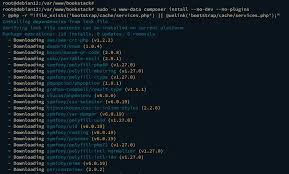
Caption: BookStack Composer install Step.
Configuration
- Keep
APP_KEYsecret. - File cache is fine until it is not; Redis later if you have many editors.
ALLOW_REGISTRATION=falsein.envif only admins create accounts.
sudo php artisan config:cache
sudo php artisan route:cache
sudo systemctl restart apache2
Packages impact to run Bookstack
BookStack is Laravel. The install docs get you Git + Composer. I still treat it as:
- Laravel —
.env,artisan migrate, config/route cache,storage/andbootstrap/cacheownership. The 500 after a clean Composer run is this. - Uploads —
public/uploadsmust be writable by the web user or images fail in the editor. That is filesystem ops, not a mystery package. - Auth extras — LDAP/OIDC/SAML are documented BookStack features. Enable them in
.env/settings when you need SSO; I am not inventing Spatie Permission as a dependency.
No Horizon in this write-up. BookStack’s queue usage is light compared with a shop; I would add a worker only if their current docs say a specific job is queued.
Securing with HTTPS
sudo apt install certbot python3-certbot-apache -y
sudo certbot --apache -d your-domain.com
Then APP_URL=https://your-domain.com and php artisan config:cache.
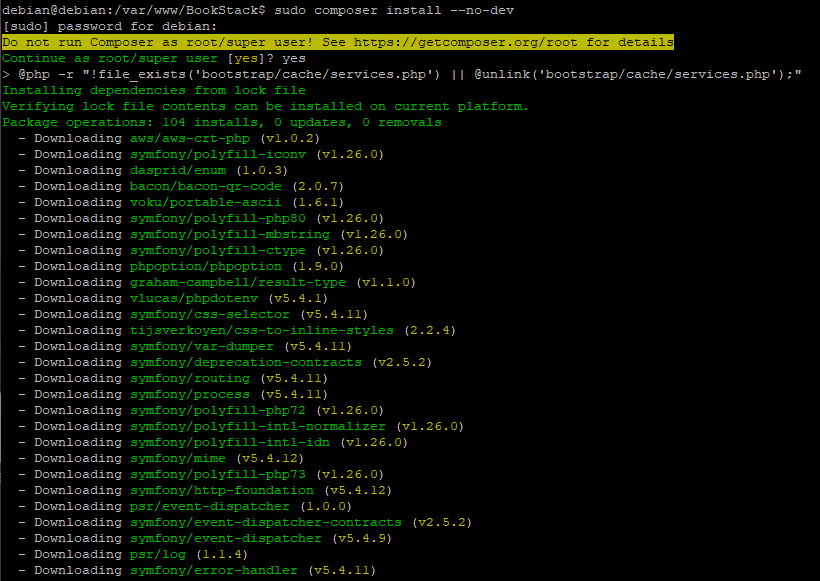
Caption: BookStack Manual Installation.
Usage
Open the hostname.
Default login (change immediately):
- Email:
admin@admin.com - Password:
password
Shelves → books → chapters → pages. Editor: WYSIWYG, diagrams.net, uploads, code blocks.
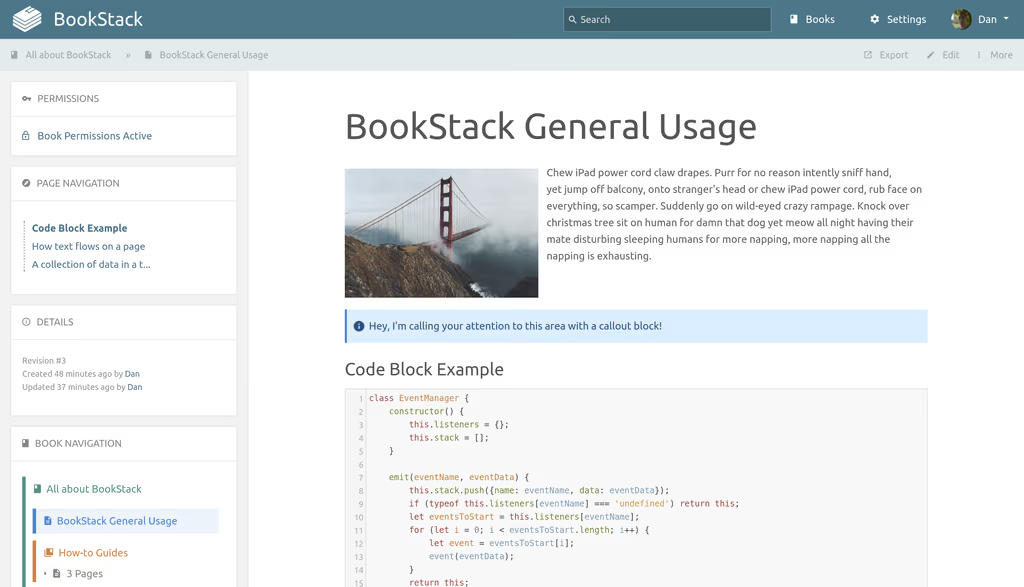
Caption: BookStack WYSIWYG Editor.
Smoke test: new book, chapter, page, image, search, Settings → Users & Roles.
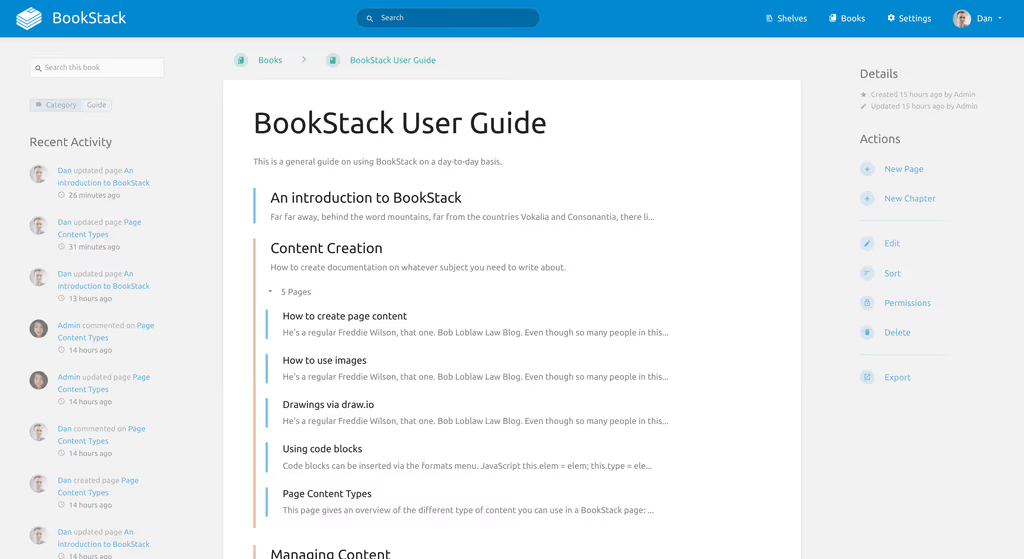
Caption: BookStack Dashboard Overview.
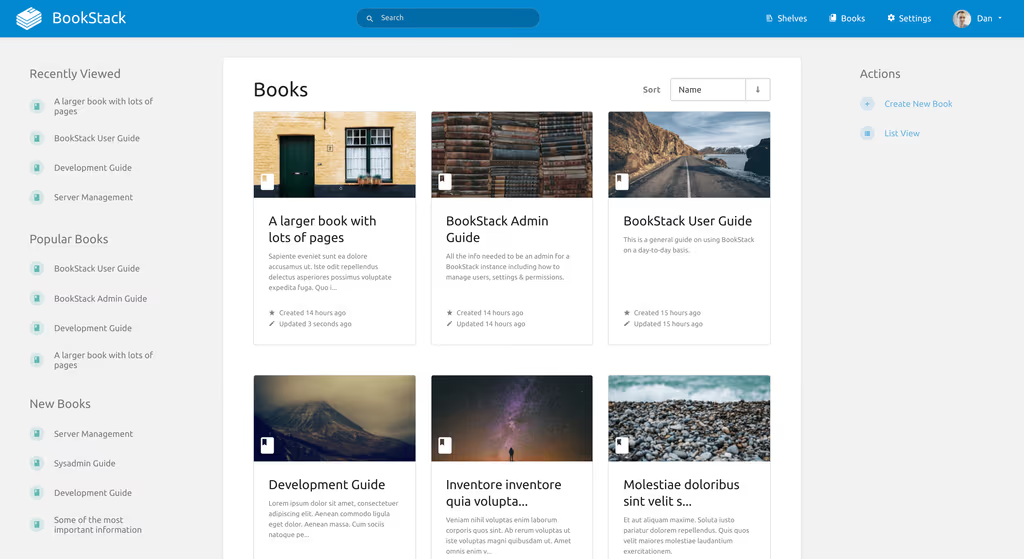
Caption: BookStack Image Management.
Troubleshooting
- Permission denied:
sudo chown -R www-data:www-data /var/www/bookstackand writable storage/uploads. - 500 / blank:
storage/logs/laravel.log.php artisan config:clear. - Composer: PHP version match;
--no-devfor production. - Database:
.envgrants. - Rewrite:
AllowOverride All,mod_rewrite. - Tiny VPS: add swap.
- Mail: SMTP in
.env; tinker only after that is correct. - Updates:
git pull,composer install,php artisan migrate, clear caches.
Next on the box
DB dumps plus storage and uploads. Redis if sessions hurt. LDAP/SSO when the team is not three people. linuxserver/bookstack if I would rather run Compose. Themes under themes/.
A feature I would not have found from the homepage
Default admin@admin.com / password is a real account. Change it before DNS is public. ALLOW_REGISTRATION=false if this wiki is not a public signup experiment.
public/uploads is not optional. The editor will accept an image and then serve a 404 if Apache cannot write that directory. That is the same permission class as storage/ — I listed both in “Where it broke” because I have seen people chown only storage and wonder why diagrams.net exports die.
Updates are Git + Composer + migrate, not an in-app button. git pull on release, composer install --no-dev --no-plugins --optimize-autoloader, php artisan migrate, then clear config/route cache. I would snapshot the database first. The linuxserver Docker image is the other update path if I do not want Apache on that host.
SSO later. LDAP/OIDC/SAML are documented. I would not turn them on until local login and HTTPS work. A broken OIDC config is a lockout, not a theming issue.
Day two on the VPS
After the first page saves, I treat BookStack like any other Laravel app on Ubuntu:
- Firewall:
ufw allow OpenSSH,80,443. MariaDB stays on localhost. I would not publish 3306. - Backups:
mysqldump bookstackplus a copy ofstorage/andpublic/uploads. Pages without images are not a full backup. I would restore onto a throwaway directory once so I know the dump is not empty. - Logs:
storage/logs/laravel.logand Apache’sbookstack_error.log. A 500 with an empty Laravel log is still a permission problem —www-datanever got to create the file. - PHP:
php -mshould listgd,xml,mbstring,pdo_mysql. The apt line in this post already pulls those. If someone used a minimalphppackage withoutphp-xml, artisan and the editor both get weird. - Cron: BookStack does not need a heavy queue for a personal wiki. If their current docs add a scheduler for specific jobs, I would add
schedule:runthen — I am not inventing a worker here. - Swap: on a 2 GB box, Composer and
gdimage work fight for RAM. A small swap file is boring and it saves you from the OOM killer duringcomposer install.
I would not enable every auth method on night one. Local admin, HTTPS, backups, then LDAP.
Conclusion
BookStack is running on my Ubuntu 24.04 VPS: release branch, Composer --no-dev, Apache to public/, migrations, www-data on storage and uploads. I can log in and write a page. Next I would force HTTPS, kill the default admin password, turn off registration, and schedule mysqldump. Docker only if I am tired of Apache on that host.
References
- Site and docs: https://www.bookstackapp.com/
- Install: https://www.bookstackapp.com/docs/admin/installation/
- Codeberg: https://codeberg.org/bookstack/bookstack
- Demo: https://demo.bookstackapp.com
Did you hit the same wall?
I got stuck on a 500 after Composer because storage and public/uploads were still root-owned (Permission denied in laravel.log). Did you hit the same thing, or a different one — Composer memory, storage permissions, PHP extensions, a queue worker that never started? Tell me in the comments. I read them.
Need this done on your server?
I deploy and harden Laravel/CodeCanyon apps on cPanel or VPS, and offer monthly Server Watch retainers. Hire for deploy · Care plan