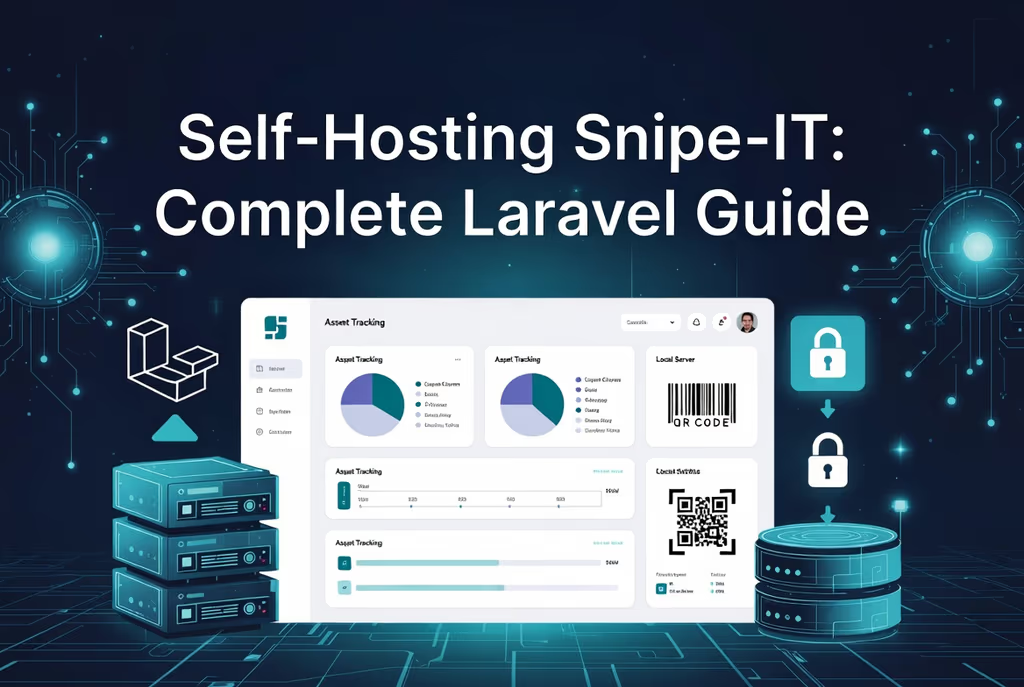
Caption: Snipe-IT open-source IT asset management installation overview.
Introduction
I wanted one place for laptops, monitors, and software seats — who has what, when we bought it, when it depreciates. Spreadsheets rot. Snipe-IT is a Laravel app for that: barcodes, check-in/check-out, LDAP if you need it, reports. I put it on Ubuntu with Nginx and MariaDB. Docker is the shorter path if I only need a lab.
On a fresh Ubuntu 22.04/24.04 box this install is famous for a blank 500 after Composer because storage/ is still owned by root, and for mail that never leaves because nobody runs queue:work.
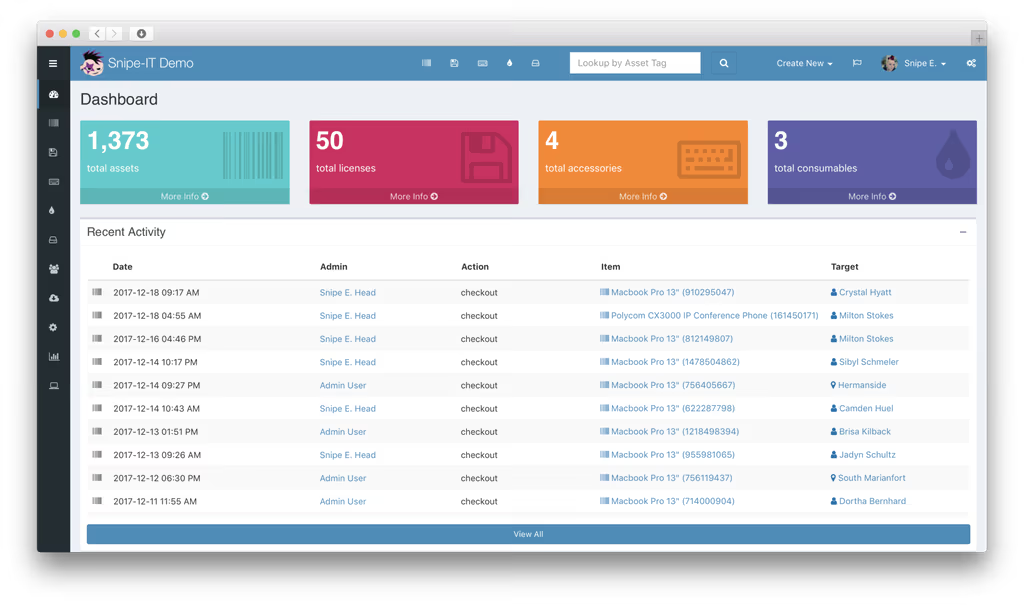
Caption: Snipe-IT Dashboard showing key metrics and recent activity (example from official demo).
Where it broke
1. Permission denied / 500 after Composer
On a fresh Ubuntu box this is the failure this install is famous for. You cloned as root, composer install ran as root, FPM runs as www-data.
The stream or file "storage/logs/laravel.log" could not be opened in append mode:
failed to open stream: Permission denied
Fix from this post:
sudo chown -R www-data:www-data /var/www/snipe-it
sudo chmod -R 775 storage bootstrap/cache
2. Queue / mail never fires
Checkout emails and notifications are Laravel jobs if you use the queue. This post already documents php artisan queue:work and a scheduler cron. If neither is running, the UI looks fine and the mailbox is empty.
cd /var/www/snipe-it
php artisan queue:work
And crontab:
* * * * * cd /var/www/snipe-it && php artisan schedule:run >> /dev/null 2>&1
Test SMTP in .env after a worker exists, not before.
Prerequisites
Hardware (small/medium team):
- CPU: 2+ cores
- RAM: 4 GB minimum (8 GB+ with many users/assets)
- Storage: 10 GB+ (images and DB grow)
- A browser you actually use
Software:
- Ubuntu 22.04 or 24.04 LTS
- Nginx (or Apache)
- MySQL 8.0+ or MariaDB 10.6+
- PHP 8.2+ with the extensions below
- Composer, Git
- Redis optional for cache/queues
Access: sudo, DNS for assets.example.com, Let’s Encrypt.
PHP extensions: bcmath, ctype, curl, dom, fileinfo, gd, iconv, intl, json, mbstring, mysqlnd, openssl, pdo, pdo_mysql, tokenizer, xml, zip.
Installation Guide
Manual when I want the files on disk. Docker when I want it up tonight.
Method 1: Manual on Ubuntu
- Packages:
sudo apt update && sudo apt upgrade -y
sudo apt install nginx mariadb-server php8.2-fpm php8.2-cli php8.2-common php8.2-mysql php8.2-gd php8.2-curl php8.2-mbstring php8.2-xml php8.2-zip php8.2-bcmath php8.2-intl php8.2-redis git unzip curl -y
- Composer:
curl -sS https://getcomposer.org/installer | php
sudo mv composer.phar /usr/local/bin/composer
- Database:
sudo mysql -u root -p
CREATE DATABASE snipeit CHARACTER SET utf8mb4 COLLATE utf8mb4_unicode_ci;
CREATE USER 'snipeituser'@'localhost' IDENTIFIED BY 'StrongPasswordHere123!';
GRANT ALL PRIVILEGES ON snipeit.* TO 'snipeituser'@'localhost';
FLUSH PRIVILEGES;
EXIT;
- Source:
cd /var/www
sudo git clone https://github.com/grokability/snipe-it.git
cd snipe-it
sudo git checkout v8.6.3  # Use latest stable tag
- PHP dependencies:
sudo composer install --no-dev --optimize-autoloader
If Composer OOMs on a tiny VPS, COMPOSER_MEMORY_LIMIT=-1 is the usual Laravel fix. Match PHP CLI to 8.2.
- Permissions (do this before you hit the URL):
sudo chown -R www-data:www-data /var/www/snipe-it
sudo chmod -R 755 storage bootstrap/cache
I would use 775 on storage and bootstrap/cache if FPM still cannot write logs.
Method 2: Docker
version: '3.8'
services:
  db:
    image: mariadb:10.11
    environment:
      MYSQL_ROOT_PASSWORD: rootpassword
      MYSQL_DATABASE: snipeit
      MYSQL_USER: snipeit
      MYSQL_PASSWORD: strongpass
    volumes:
      - db-data:/var/lib/mysql
    restart: unless-stopped

  snipeit:
    image: snipe/snipe-it:latest
    ports:
      - "8080:80"
    environment:
      APP_URL: http://your-domain.com
      APP_KEY: base64:$(openssl rand -base64 32)
      DB_HOST: db
      DB_DATABASE: snipeit
      DB_USERNAME: snipeit
      DB_PASSWORD: strongpass
    volumes:
      - snipeit-data:/var/lib/snipeit
    depends_on:
      - db
    restart: unless-stopped

volumes:
  db-data:
  snipeit-data:
docker compose up -d
If the container loops, docker logs and volume permissions. Generate a real APP_KEY rather than leaving the openssl substitution unexpanded in YAML if your Compose version does not run it.
Configuration
cp .env.example .env
nano .env
APP_NAME="Snipe-IT"
APP_ENV=production
APP_KEY=base64:your-generated-key-here
APP_DEBUG=false
APP_URL=https://assets.example.com

DB_CONNECTION=mysql
DB_HOST=127.0.0.1
DB_PORT=3306
DB_DATABASE=snipeit
DB_USERNAME=snipeituser
DB_PASSWORD=StrongPasswordHere123!

MAIL_MAILER=smtp
MAIL_HOST=smtp.example.com
MAIL_PORT=587
MAIL_USERNAME=your@email.com
MAIL_PASSWORD=yourpassword
MAIL_FROM_ADDRESS=assets@example.com

REDIS_HOST=127.0.0.1
Laravel setup:
php artisan key:generate
php artisan migrate --force
php artisan db:seed --class=InitialSeeder
php artisan storage:link
php artisan config:cache
php artisan route:cache
php artisan view:cache
Some releases prefer the web installer for the first admin instead of InitialSeeder. If seed class is missing, use the browser wizard and skip that one artisan line.
Nginx (/etc/nginx/sites-available/snipeit):
server {
    listen 80;
    server_name assets.example.com;
    root /var/www/snipe-it/public;
    index index.php;

    location / {
        try_files $uri $uri/ /index.php?$query_string;
    }

    location ~ \.php$ {
        fastcgi_pass unix:/var/run/php/php8.2-fpm.sock;
        fastcgi_index index.php;
        fastcgi_param SCRIPT_FILENAME $realpath_root$fastcgi_script_name;
        include fastcgi_params;
    }

    location ~ /\.ht {
        deny all;
    }
}
sudo ln -s /etc/nginx/sites-available/snipeit /etc/nginx/sites-enabled/ && sudo nginx -t && sudo systemctl restart nginx
SSL:
sudo apt install certbot python3-certbot-nginx -y
sudo certbot --nginx -d assets.example.com
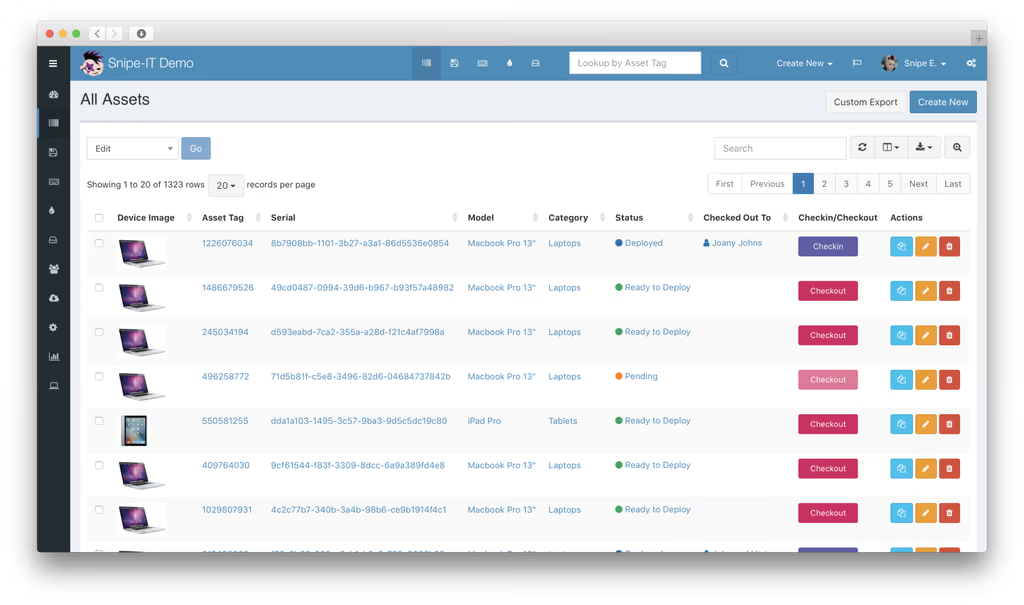
Caption: Snipe-IT Assets list view with search, filters, and actions.
More about packages
Snipe-IT is Laravel. The GitHub README will get you clone + Composer. Ops still is:
- Laravel —
.env,APP_KEY,artisan migrate,storage:link, FPM user vs file owner. That permission 500 is this stack. - Queues / scheduler — mail and some notifications.
queue:workplusschedule:runcron, already in this post. I am not adding Horizon unless you confirmed it in theircomposer.json. - Redis (optional) — cache/sessions if you set it. Not required for a first checkout.
- LDAP — optional in settings. Firewall and bind DN, not a Composer package surprise.
No Spatie list here. I did not invent extra vendor names.
Usage
Open https://assets.example.com. Finish the web installer if you did not seed an admin. Then:
- Assets with tags and photos; checkout to a user
- Licenses and seats
- Reports and audit log
- Users/groups; LDAP import if that is your directory
- API for scripts
CLI that matters in production:
php artisan queue:work
* * * * * cd /var/www/snipe-it && php artisan schedule:run >> /dev/null 2>&1
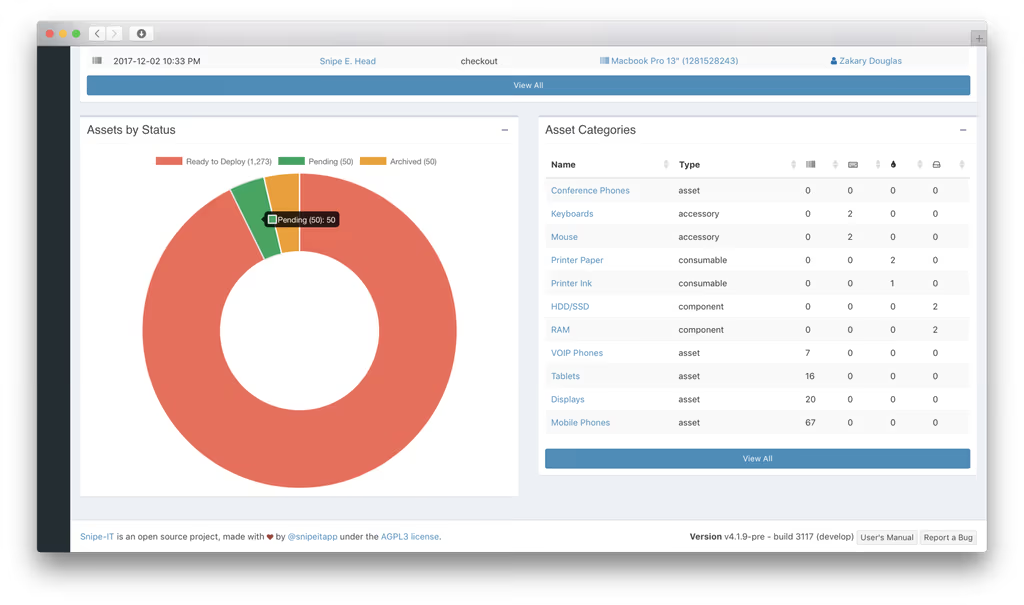
Caption: Assets by Status pie chart and category breakdown.
MVC, Blade, Laravel relationships. I do not need a slide about that to check out a laptop.
A feature I would not have found from the homepage
Check-out email is a queue, not a button. The UI will say the laptop is assigned. The user never gets mail if queue:work is not running and SMTP is wrong. I would send one checkout to myself before I import 400 rows.
Barcodes and labels assume APP_URL and storage:link. Asset photos and printable tags 404 the same way Bagisto product images do: wrong APP_URL, no link, or mixed content. Fix those before you buy a label printer.
CSV import is how you leave the spreadsheet. The marketing site talks about dashboards. The operator path is: custom fields that match your columns, then import, then a first audit. I would not LDAP-sync on day one. Get local users and one site working, then bind to AD when the firewall and bind DN are boring.
Backups are the database plus storage/. Depreciation reports are worthless if the MySQL dump is a week old and uploaded photos live only on the VPS. I would dump snipeit nightly and copy /var/www/snipe-it/storage off-box. git pull to a new tag, then composer install --no-dev and php artisan migrate — not main in production without reading the release notes.
LDAP. Settings in the UI, not a secret Composer package. If sync fails, it is bind credentials, TLS, or the firewall — this post already lists that. I would not open 389/636 to the world.
Day two on the VPS
Asset data is worse to lose than a blog post. After the first checkout works I would:
- Put
queue:workunder Supervisor so a reboot does not silently kill mail. The crontabschedule:runline does not replace a worker. - Dump the
snipeitdatabase nightly and copystorage/(photos, backups Snipe-IT writes locally). - Force HTTPS and set
APP_URLto that name, thenphp artisan config:cache. - Change the first admin password and turn off
APP_DEBUG. - Import a small CSV before the whole fleet. Custom fields that do not match columns create junk assets that take longer to clean than they took to import.
- Keep Redis optional. File cache is enough until the UI is slow.
php8.2-xml and gd are in the apt line for a reason: labels and image uploads. If I used a different PHP minor, I would install the matching -xml and -gd packages, not hope php -m looks like 8.2.
Troubleshooting
- Permission denied:
chown -R www-data:www-data storage bootstrap/cacheandchmod -R 775 storage. - Composer:
composer install --no-devin the project root; PHP version must match. - Database:
.envthenphp artisan config:clear. - Blank page / 500:
storage/logs/laravel.log.APP_DEBUG=trueonly while you look. - Queue/mail: worker or Supervisor; test SMTP after that.
- Docker:
docker logsand volume permissions. - LDAP: firewall, bind credentials, test in settings.
OPCache, Redis, backups: DB dump plus /storage.
Conclusion
Snipe-IT is running on my Ubuntu VPS: Git checkout of a stable tag, Composer --no-dev, Nginx to public/, migrations, storage:link. Next I would put a Supervisor worker on queue:work, Let’s Encrypt on assets.example.com, and a CSV import of the current laptop list. Then Fail2Ban and git pull + migrate on a schedule.
References
- Site and demo: https://snipeitapp.com/
- GitHub: https://github.com/grokability/snipe-it
- Docs: https://snipe-it.readme.io/docs/introduction
- Docker Hub: snipe/snipe-it
Did you hit the same wall?
I got stuck on failed to open stream: Permission denied writing storage/logs/laravel.log until www-data owned storage and bootstrap/cache. Did you hit the same thing, or a different one — Composer memory, storage permissions, PHP extensions, a queue worker that never started? Tell me in the comments. I read them.
Need this done on your server?
I deploy and harden Laravel/CodeCanyon apps on cPanel or VPS, and offer monthly Server Watch retainers. Hire for deploy · Care plan