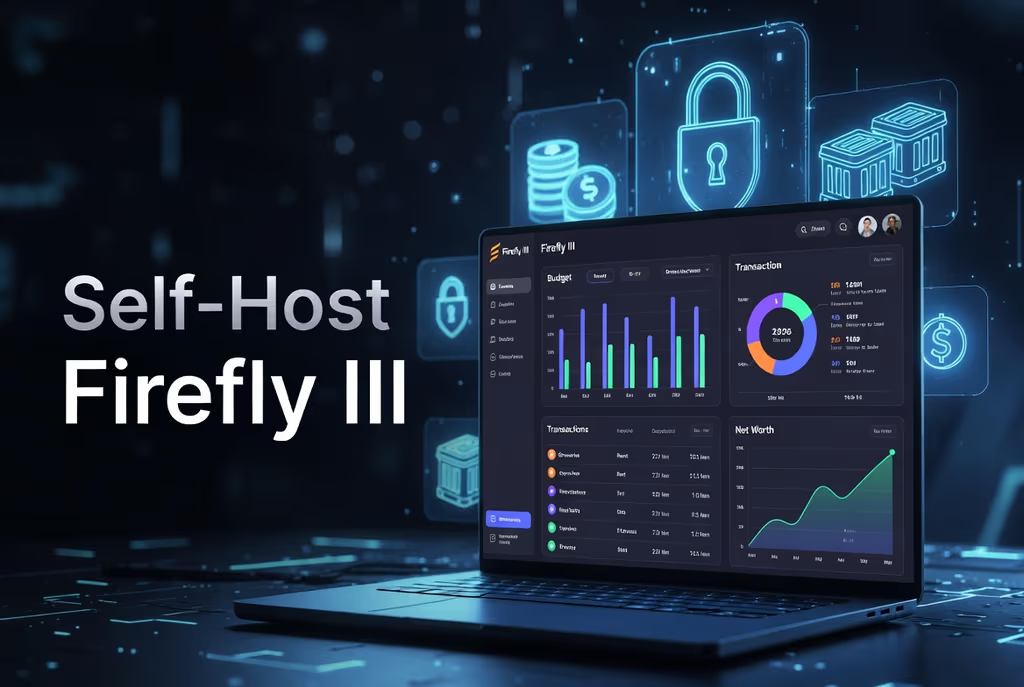
Caption: Self-hosted Firefly III personal finance and budgeting platform.
Introduction
I wanted double-entry books, budgets, and imports on a disk I control. Mint-class apps go away or sell the feed. Firefly III is PHP/Laravel: accounts, bills, piggy banks, rules, reports, API. I installed the release tarball on Ubuntu with Nginx and MariaDB so upgrades are a documented extract, not a surprise git pull. Docker is there if I want the official image instead.
On a fresh Ubuntu 24.04 box this install is famous for permission errors after artisan ran as root, and for automation that never fires because schedule:run is not in www-data’s crontab.
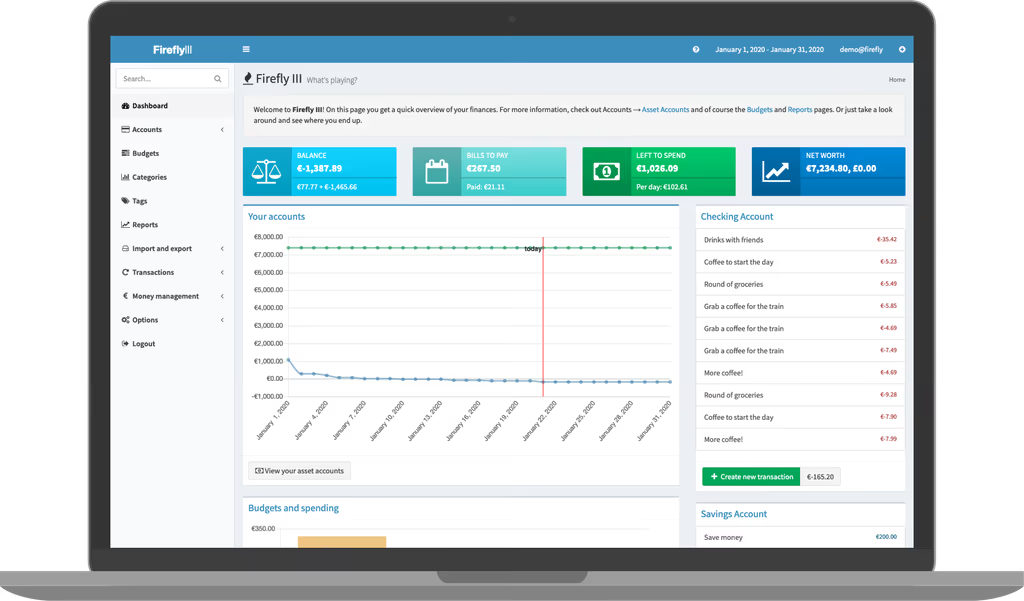
Caption: Firefly III Dashboard – Overview of balances, budgets, and recent activity.
Where it broke
1. Permission errors on storage/
On a fresh Ubuntu box this is the failure this install is famous for. Tarball extracted with sudo, then php artisan as root. PHP-FPM is www-data.
The stream or file "storage/logs/laravel.log" could not be opened in append mode:
failed to open stream: Permission denied
Fix from this post:
sudo chown -R www-data:www-data /var/www/firefly-iii
sudo chmod -R 775 storage bootstrap/cache
Run later artisan as www-data:
sudo -u www-data php artisan config:cache
2. Cron not running — recurring bills and rules sit still
Firefly expects Laravel’s scheduler. This post already adds it for www-data. If that line is missing, the UI works and the calendar jobs do not.
sudo crontab -e -u www-data
* * * * * cd /var/www/firefly-iii && php artisan schedule:run >> /dev/null 2>&1
Test with sudo -u www-data php artisan schedule:run.
Prerequisites
Hardware:
- CPU: 1–2 cores
- RAM: 2 GB (4 GB+ for heavy imports/reports)
- Disk: 10 GB+
- Hostname for HTTPS (recommended)
Stack: Ubuntu 22.04/24.04, PHP 8.3+ (Firefly documents current PHP), Composer/Git/unzip, MariaDB, Redis optional, Nginx.
sudo apt update && sudo apt upgrade -y
sudo apt install -y nginx mariadb-server php8.3 php8.3-fpm php8.3-cli php8.3-mysql php8.3-curl \
php8.3-mbstring php8.3-xml php8.3-zip php8.3-gd php8.3-bcmath php8.3-intl php8.3-sodium \
unzip curl git
Redis:
sudo apt install redis-server
php -v
Installation Guide
Self-managed tarball. Docker notes at the end.
Step 1: Nginx and database
sudo nano /etc/nginx/sites-available/firefly
server {
    listen 80;
    server_name yourdomain.com;

    root /var/www/firefly-iii/public;
    index index.php;

    location / {
        try_files $uri $uri/ /index.php?$query_string;
    }

    location ~ \.php$ {
        fastcgi_pass unix:/var/run/php/php8.3-fpm.sock;
        fastcgi_index index.php;
        fastcgi_param SCRIPT_FILENAME $realpath_root$fastcgi_script_name;
        include fastcgi_params;
    }
}
sudo ln -s /etc/nginx/sites-available/firefly /etc/nginx/sites-enabled/
sudo nginx -t && sudo systemctl restart nginx
sudo mysql -u root -p
CREATE DATABASE firefly CHARACTER SET utf8mb4 COLLATE utf8mb4_unicode_ci;
CREATE USER 'fireflyuser'@'localhost' IDENTIFIED BY 'strongpassword';
GRANT ALL PRIVILEGES ON firefly.* TO 'fireflyuser'@'localhost';
FLUSH PRIVILEGES;
EXIT;
Step 2: Download
Check version.firefly-iii.org before you copy a tag. This post used v6.6.3:
cd /var/www
sudo mkdir firefly-iii
cd firefly-iii
sudo wget https://github.com/firefly-iii/firefly-iii/releases/download/v6.6.3/FireflyIII-v6.6.3.tar.gz
sudo tar -xzf FireflyIII-v6.6.3.tar.gz --strip-components=1
sudo rm FireflyIII-v6.6.3.tar.gz
sudo chown -R www-data:www-data /var/www/firefly-iii
sudo chmod -R 755 /var/www/firefly-iii
sudo chmod -R 775 storage bootstrap/cache
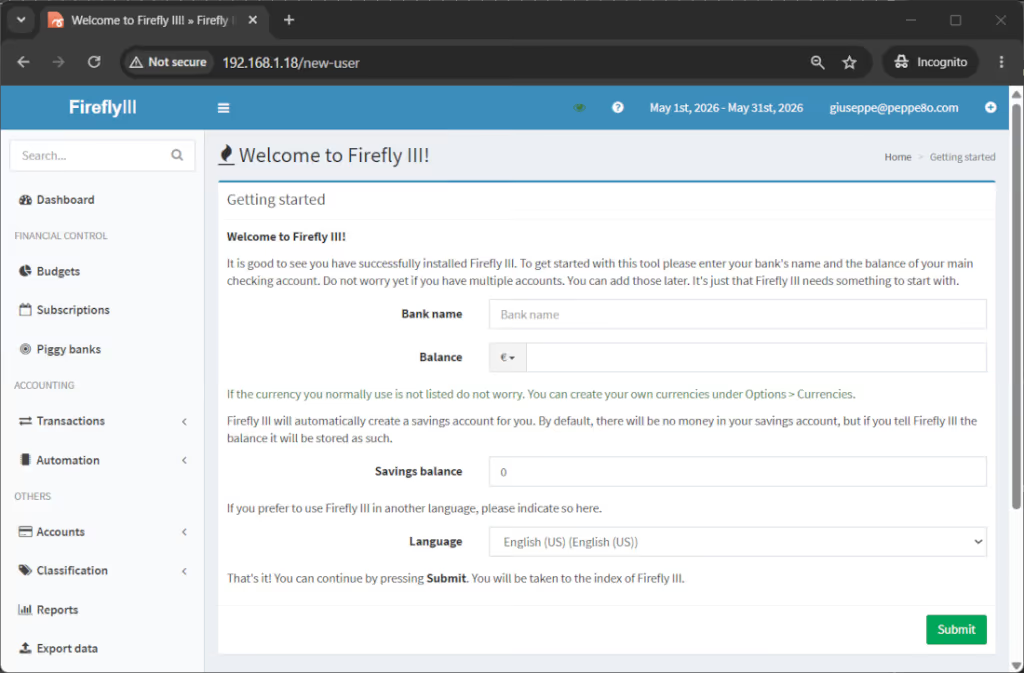
Caption: Initial setup screen after installation.
Step 3: .env
cd /var/www/firefly-iii
sudo cp .env.example .env
sudo nano .env
APP_NAME="Firefly III"
APP_ENV=production
APP_DEBUG=false
APP_URL=http://yourdomain.com

DB_CONNECTION=mysql
DB_HOST=127.0.0.1
DB_PORT=3306
DB_DATABASE=firefly
DB_USERNAME=fireflyuser
DB_PASSWORD=strongpassword

MAIL_DRIVER=smtp
MAIL_HOST=smtp.example.com
MAIL_PORT=587
MAIL_USERNAME=your@email.com
MAIL_PASSWORD=yourpassword
MAIL_ENCRYPTION=tls
MAIL_FROM_ADDRESS=firefly@yourdomain.com
MAIL_FROM_NAME="Firefly III"
APP_KEY via artisan, not a pasted fake:
sudo -u www-data php artisan key:generate
If the release’s .env.example uses MAIL_MAILER, follow that file. I am not adding undocumented keys.
Step 4: Initialize as www-data
sudo -u www-data php artisan firefly-iii:upgrade-database
sudo -u www-data php artisan firefly-iii:correct-database
sudo -u www-data php artisan firefly-iii:report-integrity
sudo -u www-data php artisan firefly-iii:laravel-passport-keys
sudo -u www-data php artisan config:cache
sudo -u www-data php artisan route:cache
sudo -u www-data php artisan view:cache
Browse to the hostname and finish the wizard.
Configuration
Timezone/language in .env (APP_TIMEZONE, DEFAULT_LANGUAGE) as their docs list. 2FA in the UI. Redis: CACHE_DRIVER=redis when you have Redis installed.
Cron (required for the “app that remembers bills” part):
sudo crontab -e -u www-data
* * * * * cd /var/www/firefly-iii && php artisan schedule:run >> /dev/null 2>&1
TLS:
sudo apt install certbot python3-certbot-nginx
sudo certbot --nginx -d yourdomain.com
Backups: mysqldump plus /var/www/firefly-iii/storage.
Packages that you keep in mind
Firefly III is Laravel. The tarball README will get files on disk. I still care about:
- Laravel —
.env,APP_KEY, artisan as the FPM user,storage/+bootstrap/cache. Root artisan is how you get the permission 500. - Passport keys — this post already runs
php artisan firefly-iii:laravel-passport-keys. The API needs that. It is Laravel Passport, not a random extra library I invented. - Scheduler — recurring transactions and maintenance. Cron to
schedule:run, already above. I am not claiming Horizon. - Redis (optional) — cache/queue if you set the drivers. Not required for the first transaction.
No Spatie list. Import is their Data Importer companion, not a hidden Composer surprise in this tarball path.
Usage
- Dashboard: net worth, budgets, recent activity
- Accounts and double-entry transactions
- Budgets and bills
- Reports
- Data Importer for CSV/bank files
- Rules
- API
Create one transaction and open a report before you call it done.
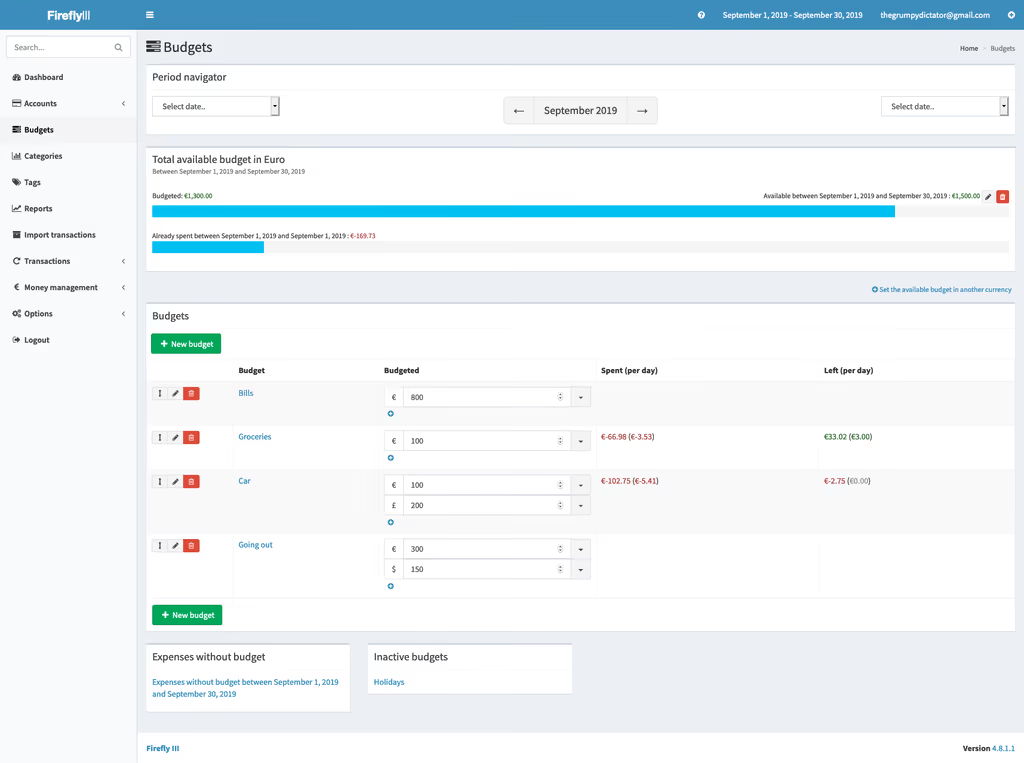
Caption: Budgets page in Firefly III.
Troubleshooting
- Permissions:
chown -R www-data:www-data storage/and clear cache aswww-data. - Database:
.envvs MySQL grants. - Blank / 500:
APP_DEBUG=truebriefly;storage/logs/laravel.log. - Composer/PHP:
sudo -u www-data composer install --no-devif you are on a Git tree instead of the tarball. - Cron:
php artisan schedule:runby hand. - Nginx 404:
try_filestopublic/index.php. - Memory: raise
memory_limitfor large imports.
Official FAQ after that.
A feature I would not have found from the homepage
The Data Importer is a second app. CSV and bank files are not “upload in the core UI and forget.” Firefly documents a companion importer. I would get one manual transaction and a budget working before I pointed a bank export at it.
Passport keys are for the API, not for logging in on day one. This post already runs php artisan firefly-iii:laravel-passport-keys. Skip it and mobile/API clients fail in a way that looks like “Firefly is down.”
Rules and bills need cron. The dashboard will show a bill. It will not nag you that www-data has no crontab. I would sudo -u www-data php artisan schedule:run once and read the output after the first install.
Do not run artisan as root the second time either. Every config:cache as root recreates files www-data cannot overwrite. That is how the permission 500 comes back after an “upgrade.” Always sudo -u www-data.
Day two on the VPS
Firefly is a finance app. I would treat the box like it holds tax data even if it is only my own:
- TLS before I paste bank CSVs.
APP_URLmust behttps://...after Certbot, thensudo -u www-data php artisan config:cache. - Backups:
mysqldump fireflyand/var/www/firefly-iii/storage. Uploads and export files live there. I would keep an off-box copy. Losing the DB is losing the ledger. - Cron proof: after a day, a bill or recurring transaction should have moved. If not,
crontab -l -u www-dataand a manualschedule:run. - Debug off:
APP_DEBUG=false. A 500 that dumps.envon a finance app is not a “lab moment.” - Redis later: file cache is fine until reports are slow. I would not add Redis on the same day as the permission fix.
- Importer on a copy: I would clone the database or use a second Firefly if I am testing a messy bank CSV. Rules that auto-categorize can wreck a live ledger in one import.
UFW: SSH and web only. PHP-FPM socket stays local. I would not expose Firefly’s HTTP port without Nginx in front.
Docker alternative
# docker-compose.yml (excerpt)
services:
  firefly_iii:
    image: fireflyiii/core:latest
    volumes:
      - firefly_iii_upload:/var/www/html/storage/upload
    env_file: .env
  db:
    image: mariadb:10.11
Their Docker docs are the source of truth for env vars and upgrades.
References
- Docs: https://docs.firefly-iii.org/
- GitHub: https://github.com/firefly-iii/firefly-iii
- Releases: https://github.com/firefly-iii/firefly-iii/releases
- Awesome Self-Hosted: https://awesome-selfhosted.net/
Conclusion
Firefly III is running on my Ubuntu VPS: tarball in /var/www/firefly-iii, Nginx to public/, MariaDB, artisan as www-data, scheduler cron. I can post a transaction. Next I would lock TLS, dump the database on a timer, and only then wire the Data Importer. I would not add Redis until the box is boring.
Did you hit the same wall?
I got stuck on Permission denied writing storage/logs/laravel.log after I ran artisan as root. Did you hit the same thing, or a different one — Composer memory, storage permissions, PHP extensions, a queue worker that never started? Tell me in the comments. I read them.
Need this done on your server?
I deploy and harden Laravel/CodeCanyon apps on cPanel or VPS, and offer monthly Server Watch retainers. Hire for deploy · Care plan