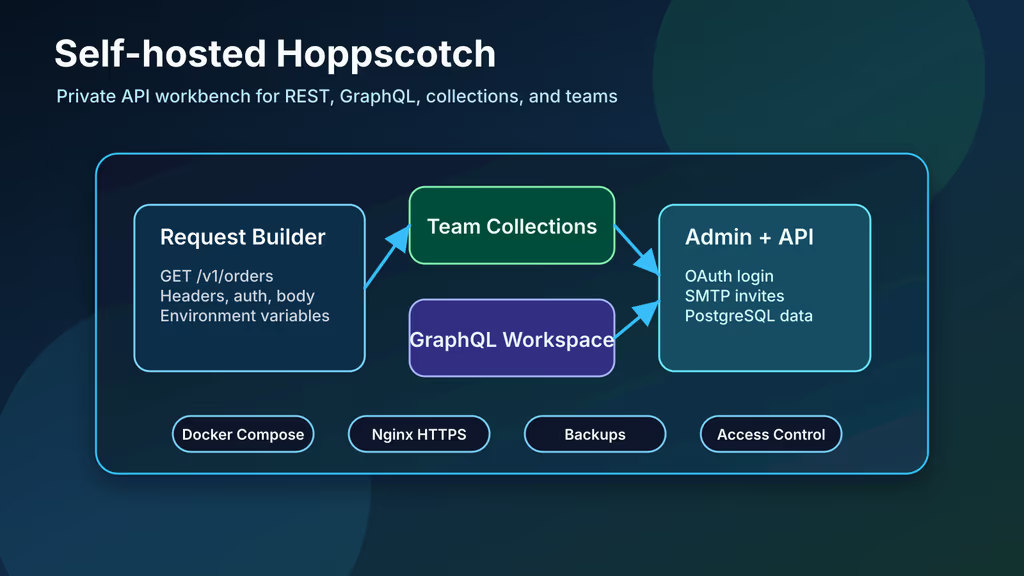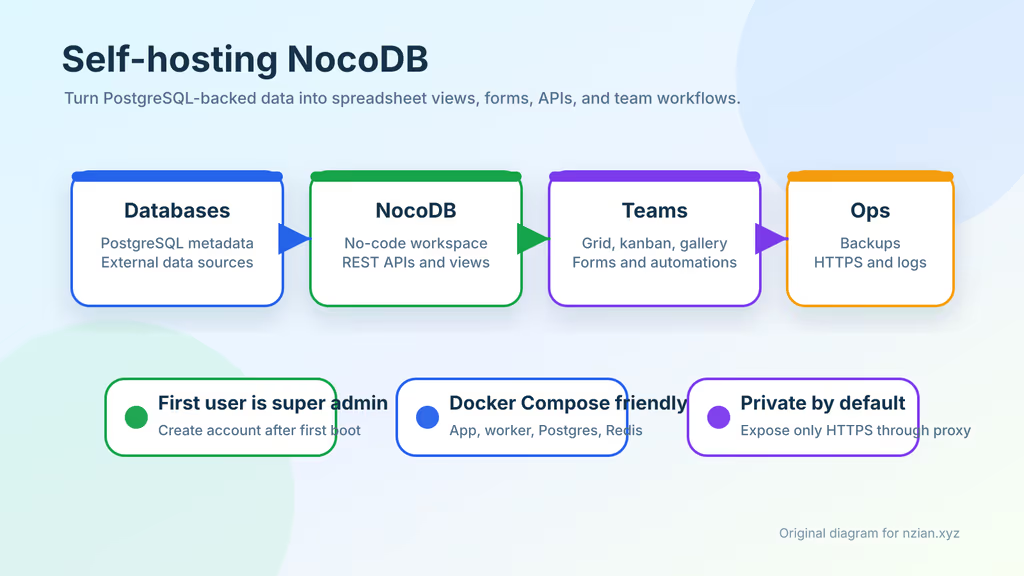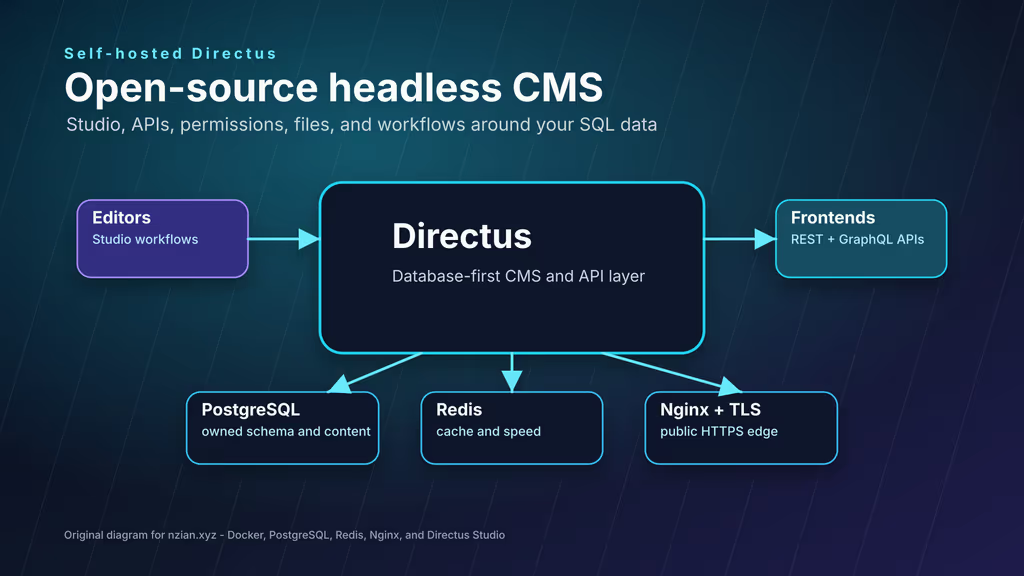
Caption: Studio for editors, REST/GraphQL for the frontend, Postgres I can dump. Not a mystery content blob.
Why I wanted this on my server
I like SQL I can inspect. I also like a browser Studio so I am not the only person who can edit a row. Directus sits on the database: schema in Postgres, APIs generated, files in a folder I mount.
Self-hosting means I pick the upgrade, the backup, and whether 8055 ever faces the internet (it does not).
What I actually installed
/opt/directus: Directus 12.0.2, postgis/postgis:13-master (as in Directus’ own example), Redis 6, bind mounts for uploads and extensions. Nginx to 127.0.0.1:8055. 2 vCPU / 2 GB for a small editorial box; more if files and flows pile up.
Where it broke
On a fresh Ubuntu 24.04 box this install is famous for PUBLIC_URL lying.
Studio loaded on HTTPS. Then redirects, asset URLs, and generated links pointed somewhere else — localhost, or http, or a leftover hostname. Directus uses PUBLIC_URL for links, files, redirects, and licensing. It has to be the URL people actually type:
PUBLIC_URL=https://directus.example.com
Then docker compose up -d so the container picks it up. Nginx already forwarded X-Forwarded-Proto; that was not enough without PUBLIC_URL.
First-boot exits are usually a malformed .env or DB_PASSWORD that does not match the PostGIS service. docker compose logs directus database before I delete volumes.
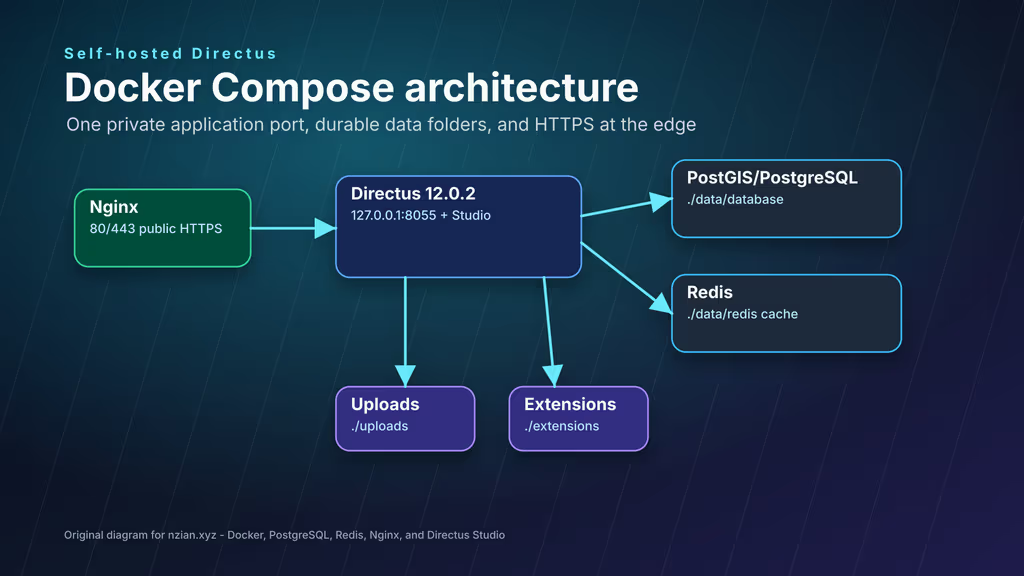
Caption: Directus on localhost. Postgres, Redis, uploads, extensions on disk I back up.
Prerequisites
Docker + Compose v2, Nginx, Certbot, pin the Directus tag. SMTP later if I need invites. .env mode 600.
sudo apt update
sudo apt upgrade -y
sudo apt install -y ca-certificates curl jq gnupg openssl ufw nginx certbot python3-certbot-nginx tar

sudo ufw allow OpenSSH
sudo ufw allow 80/tcp
sudo ufw allow 443/tcp
sudo ufw enable
sudo ufw status
The working install
1. Install Docker Engine
curl -fsSL https://get.docker.com | sudo sh
sudo usermod -aG docker "$USER"
newgrp docker

docker --version
docker compose version
2. Create the project directory
sudo mkdir -p /opt/directus/{uploads,extensions,data/database,data/redis,backups}
sudo chown -R "$USER":"$USER" /opt/directus
chmod 700 /opt/directus
chmod 700 /opt/directus/backups
cd /opt/directus
3. Generate secrets and create .env
cd /opt/directus

DIRECTUS_SECRET_VALUE="$(openssl rand -hex 32)"
DIRECTUS_DB_PASSWORD_VALUE="$(openssl rand -hex 24)"
DIRECTUS_ADMIN_PASSWORD_VALUE="$(openssl rand -base64 36 | tr -d '\n')"

cat > .env <<EOF
DIRECTUS_VERSION=12.0.2
DIRECTUS_DOMAIN=directus.example.com
PUBLIC_URL=https://directus.example.com
SECRET=${DIRECTUS_SECRET_VALUE}
DB_PASSWORD=${DIRECTUS_DB_PASSWORD_VALUE}
ADMIN_EMAIL=admin@directus.example.com
ADMIN_PASSWORD=${DIRECTUS_ADMIN_PASSWORD_VALUE}
LICENSE_KEY=
EOF

chmod 600 .env
printf 'Initial Directus admin password: %s\n' "${DIRECTUS_ADMIN_PASSWORD_VALUE}"
I change that admin password in Studio after first login and stop treating ADMIN_PASSWORD as a forever automation input.
4. Create compose.yaml
services:
  database:
    image: postgis/postgis:13-master
    restart: unless-stopped
    volumes:
      - ./data/database:/var/lib/postgresql/data
    environment:
      POSTGRES_USER: "directus"
      POSTGRES_PASSWORD: "${DB_PASSWORD}"
      POSTGRES_DB: "directus"
    healthcheck:
      test: ["CMD", "pg_isready", "--host=localhost", "--username=directus"]
      interval: 10s
      timeout: 5s
      retries: 5
      start_interval: 5s
      start_period: 30s

  cache:
    image: redis:6
    restart: unless-stopped
    command: ["redis-server", "--appendonly", "yes"]
    volumes:
      - ./data/redis:/data
    healthcheck:
      test: ["CMD-SHELL", "[ $$(redis-cli ping) = 'PONG' ]"]
      interval: 10s
      timeout: 5s
      retries: 5
      start_interval: 5s
      start_period: 30s

  directus:
    image: directus/directus:${DIRECTUS_VERSION}
    restart: unless-stopped
    ports:
      - "127.0.0.1:8055:8055"
    volumes:
      - ./uploads:/directus/uploads
      - ./extensions:/directus/extensions
    depends_on:
      database:
        condition: service_healthy
      cache:
        condition: service_healthy
    healthcheck:
      test: ["CMD-SHELL", "wget --spider -q http://localhost:8055/server/ping || exit 1"]
      interval: 10s
      timeout: 5s
      retries: 5
      start_interval: 5s
      start_period: 30s
    environment:
      SECRET: "${SECRET}"
      DB_CLIENT: "pg"
      DB_HOST: "database"
      DB_PORT: "5432"
      DB_DATABASE: "directus"
      DB_USER: "directus"
      DB_PASSWORD: "${DB_PASSWORD}"
      CACHE_ENABLED: "true"
      CACHE_AUTO_PURGE: "true"
      CACHE_STORE: "redis"
      REDIS: "redis://cache:6379"
      ADMIN_EMAIL: "${ADMIN_EMAIL}"
      ADMIN_PASSWORD: "${ADMIN_PASSWORD}"
      PUBLIC_URL: "${PUBLIC_URL}"
      LICENSE_KEY: "${LICENSE_KEY}"
      WEBSOCKETS_ENABLED: "true"
Those healthchecks use start_interval. Docker Engine older than 25 will complain; I am on Engine 25+ here. Immich’s install docs are where I wrote that error out in full.
5. Start Directus
cd /opt/directus

docker compose config
docker compose pull
docker compose up -d
docker compose ps
docker compose logs --since=10m database cache directus
curl -i http://127.0.0.1:8055/server/ping
/server/ping should return pong. /server/health is heavier; docs prefer ping for liveness.
6. Configure Nginx and HTTPS
Create /etc/nginx/sites-available/directus.example.com:
server {
    listen 80;
    listen [::]:80;
    server_name directus.example.com;

    client_max_body_size 100m;

    location / {
        proxy_pass http://127.0.0.1:8055;
        proxy_http_version 1.1;
        proxy_set_header Host $host;
        proxy_set_header X-Real-IP $remote_addr;
        proxy_set_header X-Forwarded-For $proxy_add_x_forwarded_for;
        proxy_set_header X-Forwarded-Proto $scheme;
        proxy_set_header Upgrade $http_upgrade;
        proxy_set_header Connection "upgrade";
        proxy_read_timeout 300;
    }
}
Websocket headers stay; realtime needs them. 502: curl http://127.0.0.1:8055/server/ping and journalctl -u nginx.
sudo ln -s /etc/nginx/sites-available/directus.example.com /etc/nginx/sites-enabled/directus.example.com
sudo nginx -t
sudo systemctl reload nginx

sudo certbot --nginx -d directus.example.com
sudo certbot renew --dry-run
Admin: https://directus.example.com/admin.
Important Information
Roles before users. I create Editor and a read-only public role before I mint a static token. Tokens do not live in frontend bundles.
Uploads vanish after restart if ./uploads is not mounted or not owned by the user who runs Compose. I check the host folder, not only Studio.
Cache warnings: REDIS=redis://cache:6379 and a healthy cache service.
cd /opt/directus
docker compose up -d
docker compose logs --since=5m directus
First collection I actually used
articles: title, unique slug, status draft/published, body, publish_on. Public role reads published only.
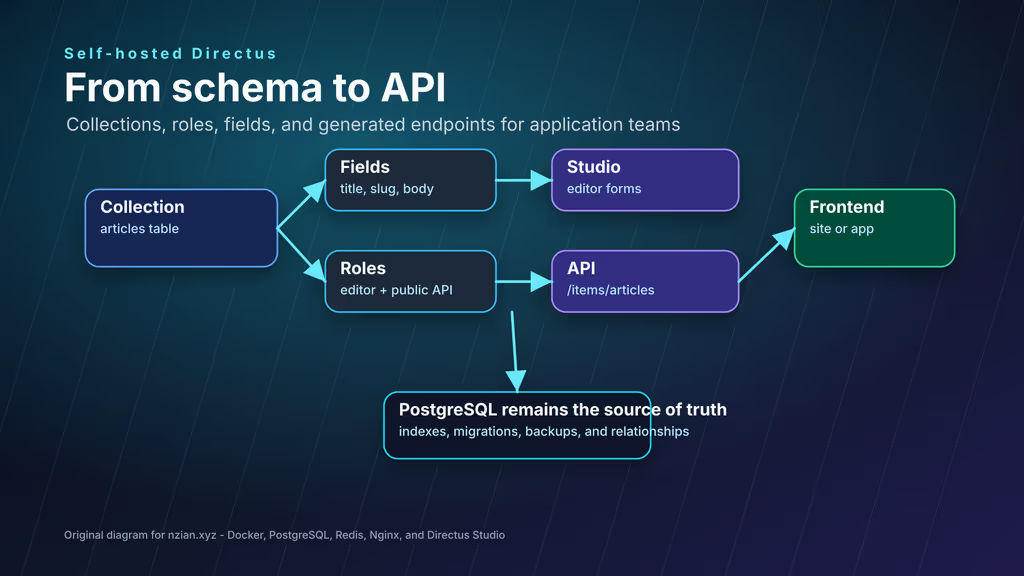
Caption: One small collection. Studio form for editors. API for the site. Drafts stay off the public role.
read -rsp "Directus API token: " DIRECTUS_TOKEN
printf '\n'

curl -sS \
  -H "Authorization: Bearer ${DIRECTUS_TOKEN}" \
  "https://directus.example.com/items/articles?limit=5" | jq
If admin works and public does not, it is permissions and filters, not Nginx.
Backup, expose, next step
cd /opt/directus
mkdir -p backups

BACKUP_DATE="$(date +%F-%H%M)"
docker compose exec -T database pg_dump -U directus directus > "backups/directus-${BACKUP_DATE}.sql"
tar -czf "backups/directus-files-${BACKUP_DATE}.tar.gz" uploads extensions .env compose.yaml
ls -lh backups
Restore: stop stack, restore SQL, unpack uploads/extensions, same .env SECRET, start. Practice on another machine.
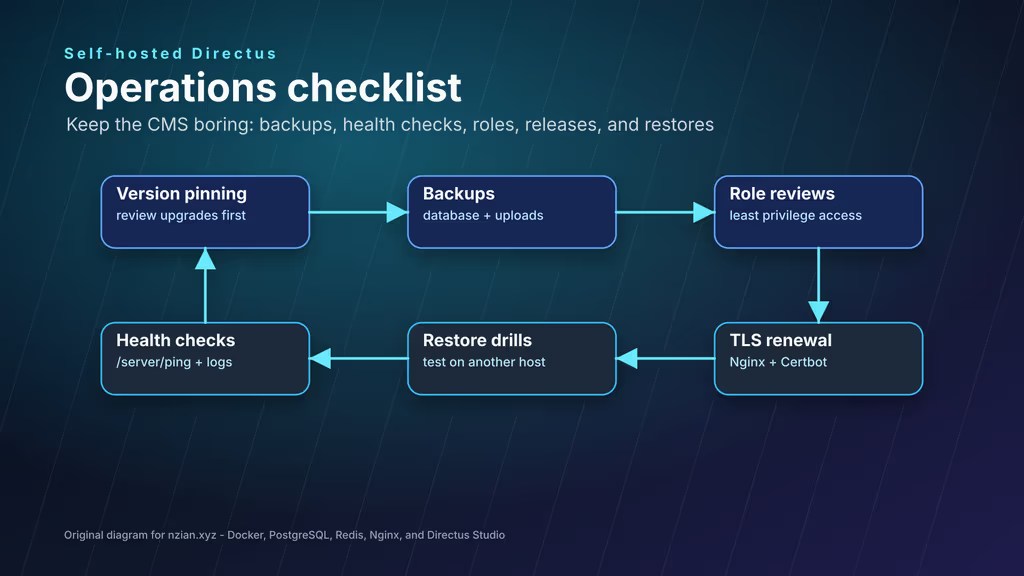
Caption: Pinned version, dump, uploads, roles, ping. Upgrade in a window, not on Friday deploy autopilot.
What I have running now is Directus 12.0.2 on HTTPS, PostGIS + Redis, PUBLIC_URL correct, one articles collection. Next I connect one frontend, document roles, and restore a dump before this holds real copy.
Did you hit the same wall?
I got stuck on PUBLIC_URL — redirects and asset links ignored my HTTPS hostname until it matched the URL in the browser. Did you hit the same thing, or a different one? Tell me in the comments. I read them.
Need this done on your server?
I deploy and harden Laravel/CodeCanyon apps on cPanel or VPS, and offer monthly Server Watch retainers. Hire for deploy · Care plan