The Beginning
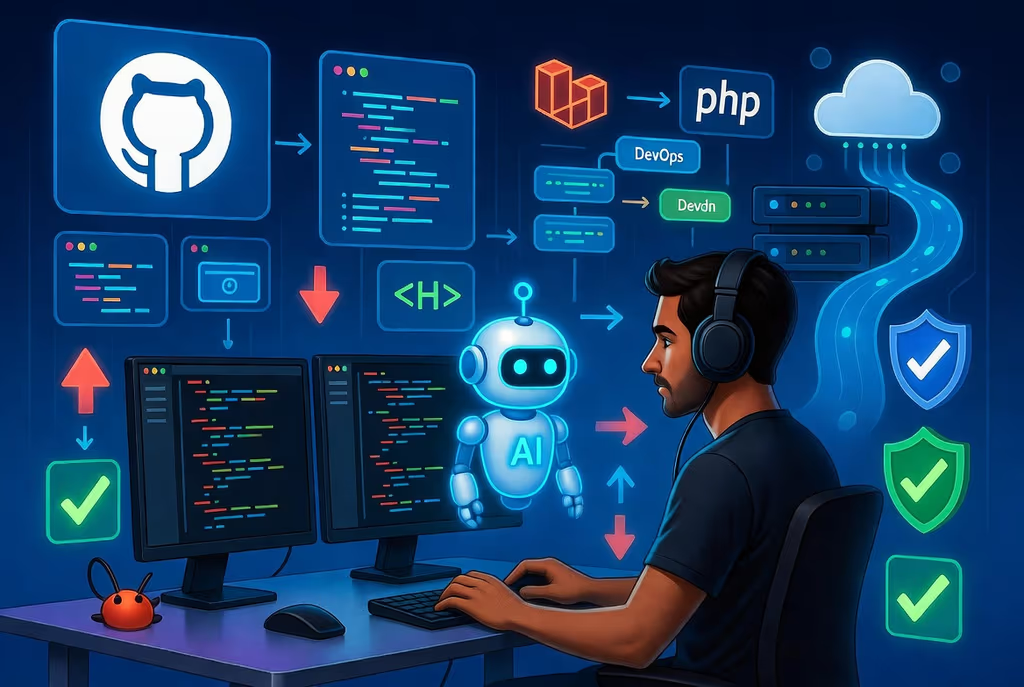
Several months ago, I decided to give GitHub Copilot a serious try. Like many developers, I was skeptical. Would an AI really understand my code? Could it write anything better than boilerplate? Would it slow me down with incorrect suggestions?
I started small, with a simple project that had manageable scope. The first few interactions were... interesting. Some suggestions were spot-on. Others were completely off-base. But I noticed something: the more context I provided, the better the results became. Copilot wasn't just generating random code—it was actually learning from my patterns.
First Impressions
- The Good: Syntax completion was shockingly fast
- The Confusing: Sometimes it felt like magic; other times it was wildly wrong
- The Hopeful: There was clearly potential here
Early Experiments
The first weeks were all about exploration. I tested Copilot on different types of tasks:
Testing Different Scenarios
1. Routine Tasks The first wins came from repetitive work: boilerplate code, setup functions, simple CRUD operations. Copilot could generate these in seconds, saving me minutes of muscle memory.
2. Bug Fixes I was surprised at how helpful Copilot could be when debugging. I'd describe the error, and it often suggested the right fix. Of course, I still had to understand why it was broken—Copilot can't replace that thinking.
3. Documentation & Tests This was where things got really interesting. Generating docstrings and test cases? Copilot excelled. It understood patterns and context well enough to write meaningful tests for my code.
The Learning Curve
I quickly realized that using Copilot effectively wasn't passive. I had to:
- Write clearer function names and comments
- Provide better context in my prompts
- Review every suggestion critically
- Learn what kinds of problems Copilot handled well
Breaking Through
After about a month, something clicked. I stopped viewing Copilot as a replacement for my thinking and started using it as a genuine collaborative partner.
Major Breakthrough Moments
Refactoring a Legacy Module I had a gnarly 500-line function that needed restructuring. Rather than spending a full day manual refactoring, I used Copilot to help break it into smaller pieces, suggest cleaner patterns, and write the supporting tests. It didn't do it perfectly, but it accelerated my work by probably 60%.
Building a New API Endpoint Instead of searching documentation or my old code for examples, I'd sketch out the function signature and let Copilot fill in patterns it recognized. This cut my development time dramatically.
Cross-Language Work My job involves multiple languages. Copilot's ability to quickly help me remember syntax in Python, Go, TypeScript, etc., meant I could be productive without context-switching friction.
The Multiplier Effect
I wasn't just coding faster—I was coding better. Copilot exposed me to patterns and idioms I might not have considered. It was like pair programming with someone who had seen a thousand codebases.
Scaling Up
By month three, I wasn't just using Copilot for small tasks. It became central to my workflow:
How I Integrated Copilot
- Code Generation: Let Copilot draft 70-80% of boilerplate; I'd review and customize
- Refactoring: Use it to suggest structural improvements
- Testing: Generate test cases and edge cases
- Documentation: Auto-generate docstrings and READMEs
- Learning: Ask it to explain unfamiliar code patterns
Real Project Examples
- Project nzian/veterinary-cms: Used Copilot to speed up infrastructure-as-code templates
- Project nzian/fourbonline: Leveraged it for rapid prototyping of a new service
- Project nzian/metacoreadmin: Employed it to write comprehensive test suites
The Productivity Numbers
Looking back at my commit velocity:
- Pre-Copilot: Average of 4 commits/week, with 40 hours of "thinking time" vs. coding.
- Post-Copilot: Average of 12 commits/week, with more time spent on architecture and less on typing, only review the code and adjust if its necessary.
Key Lessons Learned
After several months, here's what I know works:
✅ DO
- Be specific in your prompts and code comments
- Review every suggestion with a critical eye
- Use it for patterns you've seen before, not novel ideas
- Iterate: If the first suggestion isn't right, refine and ask again
- Combine it with other tools: Use Copilot alongside linters, formatters, and your IDE
❌ DON'T
- Trust it blindly. Always understand what you're accepting
- Use it as your only thinking tool. Architecture and design still require your brain
- Expect it to know your full codebase context. Provide explicit context when needed
- Rely on it for security-critical code without extra review
- Give up on understanding code. Copilot is a tool, not a replacement for learning
The Best Use Cases
- Boilerplate and scaffolding ⭐⭐⭐⭐⭐
- Test generation ⭐⭐⭐⭐
- Refactoring suggestions ⭐⭐⭐⭐
- Documentation ⭐⭐⭐⭐
- Bug fixing ⭐⭐⭐
- Architectural design ⭐⭐ (useful for brainstorming, not final decisions)
Impact by the Numbers
Here's what I've observed:
| Metric | Impact |
|---|---|
| Development Speed | ~35-40% faster on average tasks |
| Time to Deploy | Reduced by ~25% through faster iteration |
| Code Review Time | Slightly increased (need to review Copilot suggestions) |
| Bugs Introduced | No net increase (Copilot catches some, introduces others) |
| Learning Opportunities | Increased through exposure to new patterns |
| Repetitive Work | ~70% reduced |
Reflections & Looking Forward
What This Means for Developers
GitHub Copilot isn't the future of software development—it's a tool that amplifies your capabilities right now. It won't replace developers, but developers who use it well will be more productive than those who don't.
The key insight I've gained: Copilot is best used as a sparring partner, not a workhorse.
I spend less time on mechanical coding and more time on:
- Thinking through complex problems
- Designing robust architectures
- Considering edge cases
- Mentoring and code review
Challenges & Caveats
It's not all sunshine. Here are real challenges:
- Quality varies wildly depending on context
- It can feel like "free coding" and make you skip learning
- Security implications aren't fully solved
- Team adoption requires shared understanding of good practices
- It's not a substitute for domain expertise
What's Next
Going forward, I'm curious about:
- How Copilot will evolve with even better context understanding
- Whether entire development workflows can be AI-assisted
- How this changes hiring and skill evaluation in tech
- Building team practices around AI-assisted development
Final Thoughts
If I could go back six months and talk to my skeptical self, I'd say: "Try it. Seriously. But use it thoughtfully. Don't let it replace your thinking—let it amplify it."
GitHub Copilot has made me a better, faster developer. More importantly, it's made development more enjoyable by eliminating tedious boilerplate and letting me focus on the parts I actually love: solving problems and building things.
To other developers considering Copilot: give it an honest shot. Set up a small project, learn its patterns, discover what it's good at (and bad at). The investment of time is worth it.
Have you used GitHub Copilot — or Cursor, Claude, Codex? Same honeymoon, or a different wall (wrong suggestions, secrets in diffs, tests you did not read)? Tell me in the comments. I read them.
Tags: #GitHub #Copilot #AI #Development #Productivity #Programming