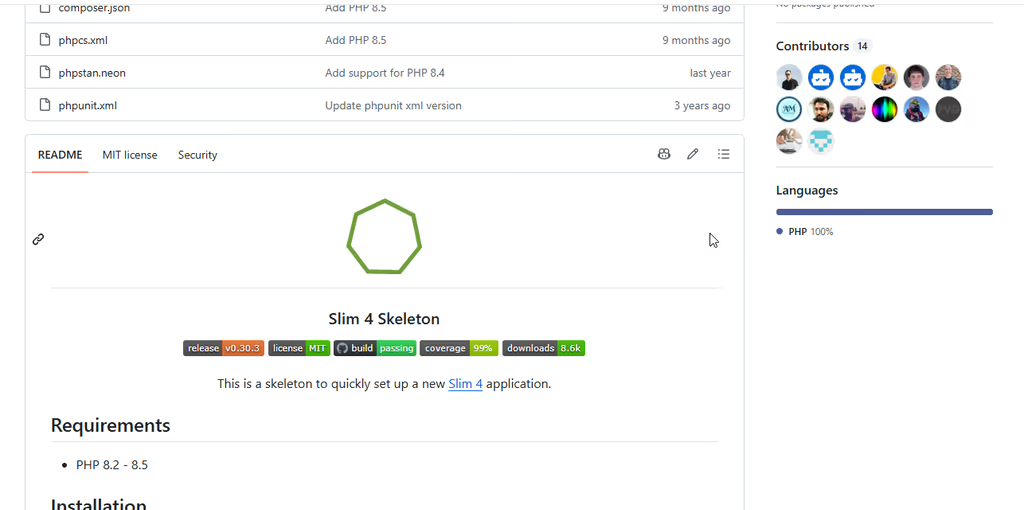
Slim 4 Skeleton (odan/slim4-skeleton) is a Composer project template for quickly starting a Slim 4 application. I follow it when the job is a thin API, webhook receiver, or small PHP service and a full Laravel (or other batteries-included) app would be heavier than the problem. The docs site describes it as a skeleton for APIs, websites, and web apps; the README frames the stack around PHP package layout and industry PSR practices. Author Daniel Opitz’s blog is also a long-running Slim 4 cookbook (auth, Twig, testing, logging, CORS, and more) that pairs well with the skeleton when you need patterns beyond the empty app.
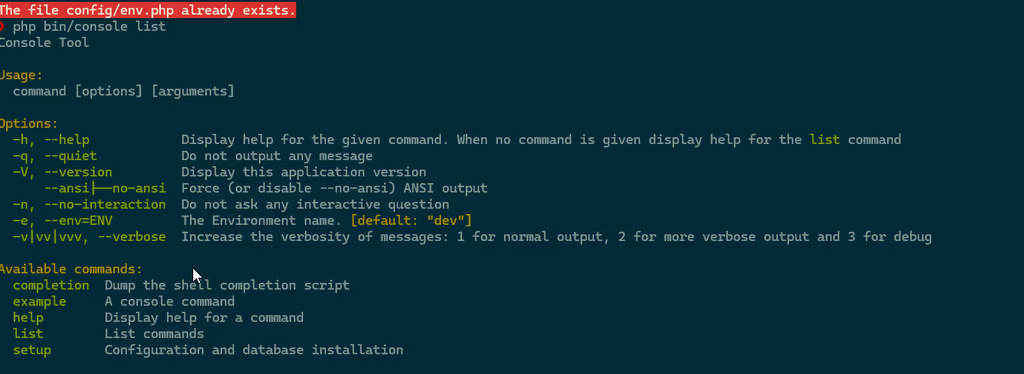
What I like most about Slim4 Skeleton
I reach for this skeleton when I want structure without a framework product surface — routes, DI, logging, and tests already wired.
1. Slim 4 with PSR plumbing already chosen
HTTP router (Slim), PSR-7 messages (Nyholm), PSR-15 middleware, PSR-11 container (PHP-DI), PSR-4 autoload, PSR-3 logging (Monolog), PSR-12 code style — as listed in the README features.
Why it matters: You skip the “which PSR-7 / DI package?” bikeshed and start on handlers.
2. Single-action controllers
The project promotes single action controllers under src/Action — one class, one HTTP responsibility.
Why it matters: Small APIs stay readable; fat controllers are harder to test and harder to delete.
3. Config split that matches real deploys
config/ holds bootstrap, container, routes, middleware, defaults/settings, plus env.example.php and environment overlays (local.dev.php, local.prod.php, local.test.php, CI variants).
Why it matters: Dev vs prod vs CI settings stay explicit without inventing your own config story on day one.
4. Quality toolchain in the box
PHPUnit, PHPStan, PHP CS Fixer, PHPCS, GitHub Actions, and Coveralls are part of the advertised feature set; Composer scripts include test, stan, cs:check, and test:all.
Why it matters: Lean does not have to mean “no tests and no static analysis.”
5. Tiny runtime dependency surface
Production require is Slim 4, PHP-DI, Nyholm PSR-7, Monolog, selective/basepath, and fig/http-message-util — not an ORM, queue, or admin UI.
Why it matters: Deploy footprint and cognitive load stay small; you add Doctrine/Twig/auth only when the service needs them (odan’s blog covers many of those recipes).
6. Fast path from Composer to a running app
composer create-project odan/slim4-skeleton [my-app-name] then composer start (PHP built-in server on port 8080) per the installation guide.
Why it matters: You can smoke-test routing and middleware in minutes before deciding whether Slim or Laravel is the right long-term home.
TIP
Requirements today: PHP 8.2–8.5. On Linux, the install docs remind you to make tmp/ and logs/ writable by the web server user. The built-in composer start server is for development only — not public production traffic.
Project structure
High-level layout from the repository:
| Path | Role |
|---|---|
public/ |
Web document root (composer start uses -t public/) |
config/ |
Bootstrap, PHP-DI container, routes, middleware, settings, env overlays |
src/Action |
Single-action HTTP handlers |
src/Middleware |
Application middleware |
src/Renderer |
Response/view rendering helpers |
tests/ |
Unit and integration tests (App\Test\) |
logs/ / tmp/ |
Runtime logs and cache/temp (writable in deploy) |
docs/ |
Project documentation sources for the GitHub Pages site |
Mental model:
- Front controller —
public/entry into Slim - Wiring —
config/container.php,routes.php,middleware.php - Behavior —
src/Action+src/Middleware - Quality gate —
composer test:all(CS + sniffer + PHPStan + PHPUnit)
composer create-project odan/slim4-skeleton my-app
cd my-app
# Linux: chown/chmod tmp/ and logs/ for the web server user (see install docs)
composer start
# http://localhost:8080
Packagist package: odan/slim4-skeleton (MIT).
Code analysis
Stack snapshot (from composer.json + README):
| Layer | Technology | Notes |
|---|---|---|
| Runtime | PHP ~8.2–8.5 | ext-json required |
| Framework | slim/slim ^4 | Microframework router / app |
| HTTP | nyholm/psr7 (+ server) | PSR-7 implementation |
| DI | php-di/php-di ^7 | PSR-11 container |
| Logging | monolog/monolog ^3 | PSR-3 |
| Path helper | selective/basepath | Base path detection behind reverse proxies |
| Tests | phpunit/phpunit ^11 | Plus selective/test-traits |
| Static analysis | phpstan/phpstan ^2 | composer stan |
| Style | php-cs-fixer, phpcs | PSR-12 oriented |
| License | MIT | Permissive for commercial APIs |
Strengths when I evaluate it:
- PSR-first defaults — interoperable with other PHP libraries
- Single-action discipline — keeps services small
- CI-ready scripts — quality is not an afterthought
- Author ecosystem — odan.github.io posts map cleanly onto extending the skeleton (sessions, Twig, auth, Swagger, Redis, etc.)
Trade-offs / caveats:
- Skeleton, not a product — no admin panel, no Eloquent, no first-party auth; you compose what you need
- You own the architecture growth — without conventions from a larger framework, undisciplined growth recreates the mess Slim was meant to avoid
- Laravel adjacency — if the team already standardizes on Laravel ops (Horizon, Eloquent, Nova, Forge habits), Slim may cost more in process than it saves in bytes
- Docs are lean — install + intro are short; deeper patterns live on the author’s blog and Slim docs rather than a huge in-repo manual
- Slim 5 work has been mentioned on the author’s blog — plan upgrades as the Slim ecosystem moves
Route sketch (illustrative single-action style):
// config/routes.php — pattern illustrated; follow the skeleton’s App\Action classes
use Slim\App;
use App\Action\HomeAction;

return function (App $app) {
    $app->get('/', HomeAction::class);
};
Why people use it
| Audience | Why Slim4 Skeleton fits |
|---|---|
| API / microservice builders | Small HTTP surface without Laravel weight |
| Teams already on PSR libraries | DI, middleware, and logging match existing habits |
| Laravel shops needing a sidecar | Webhooks, internal tools, or edge services beside the main app |
| Learners of Slim 4 | Clean starting point + author’s blog cookbook |
| Deploy-minimal hosts | Few production dependencies to patch and reason about |
Skip it if you need CMS/admin, batteries-included auth and queues day one, or the whole team is standardized on Laravel end-to-end with no appetite for a second runtime style.
Conclusion
odan’s Slim 4 Skeleton remains one of the cleanest lean PHP starting points I follow: Slim 4, PHP-DI, PSR HTTP stack, single-action handlers, and a real test/static-analysis gate without pretending to be a full framework (repo, docs, install, author blog).
Honest caveat: the value is discipline and lightness, not features. Use it when the service should stay small — and grow it with deliberate packages (and odan’s Slim posts) instead of accidentally reinventing Laravel inside src/.