Leantime is an open-source project management system aimed at non-project managers — combining strategy, planning, and execution in a UI designed to stay usable under cognitive load. The README and leantime.io position it as “as simple as Trello but as feature-rich as Jira,” built with ADHD, dyslexia, and autism in mind, and as an alternative to ClickUp, Monday, or Asana. I follow it when a team wants self-hosted PM with goals and timesheets — not only a kanban column dump — and prefers PHP/MySQL ops over another SaaS seat bill. Product depth is spelled out on Features; product thinking and release notes show up on the blog. Docs live at docs.leantime.io.
What I like most about Leantime
I reach for Leantime when PM needs to connect why (goals/strategy) to what (todos/milestones) without forcing everyone to become a Jira admin.
1. Personal “My Work” plus real projects
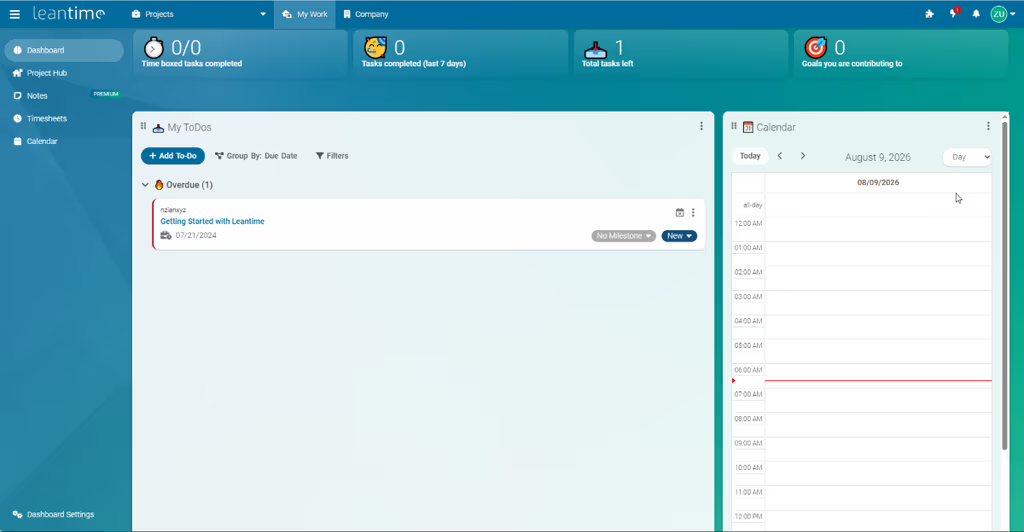
A personal dashboard for tasks across projects, time blocking (iCal-aware), private notes, whiteboards, and task “interest” rating for prioritization — marketed heavily on the homepage and features pages. Projects then hold todos, milestones, ideas, docs, blueprints, reports, timesheets, and retrospectives.
Why it matters: People live across many projects; a single personal view reduces tab chaos.
2. Task views that match different brains
Kanban, table, list, calendar, and gantt-style milestone timelines; unlimited subtasks and dependencies; sprint management (README feature matrix).
Why it matters: One rigid board view is why teams abandon PM tools.
3. Strategy and lean canvases in-product
Goal and metrics tracking, Lean & Business Model Canvas, SWOT, risk analysis, strategic vision / focus areas, and project blueprints (README, features).
Why it matters: “Why are we building this?” stays next to the todos instead of in a forgotten slide deck.
4. Knowledge + time in the same workspace
Wikis/docs (including embed patterns for external docs), idea boards, comments on nearly everything, file storage (local or S3), screen/webcam recording callouts, plus timetracking and timesheets for billing-friendly work.
Why it matters: Agencies and freelancers often need PM + light knowledge base + hours without three SaaS products.
5. Self-host first, extend when needed
Easy zip//install or official Docker image; LDAP and OIDC; 2FA; roles and per-project permissions; Slack/Mattermost/Discord-style integrations; JSON-RPC API; plugins (OSS + marketplace) (README).
Why it matters: You can start lean and add marketplace/plugins or API automation without rewriting the core.
6. Neurodiversity-aware product framing
Upstream messaging is explicit: reduce cognitive overload, connect goals to motivation, optional AI helpers for breakdown/prioritization/status (leantime.io, blog).
Why it matters: Most “Jira alternatives” compete on feature count; Leantime competes on whether people will open it.
TIP
README notes the listed task/planning/knowledge/admin features are included in the OSS version. Still verify AI, managed hosting, and marketplace plugins against your plan — SaaS/managed options and AGPL plugin exceptions exist beside the free self-host path. Start with docs.leantime.io install guides or leantime/leantime on Docker Hub.
Project structure
Leantime is a Laravel-based PHP application (Leantime\ PSR-4 under app/). High-level layout from the repository:
| Path | Role |
|---|---|
app/ |
Application code (Leantime\ namespace), including plugins under app/Plugins |
public/ |
Web document root (point the domain here) |
config/ |
sample.env → .env for DB, mail, app URL, integrations |
bin/ |
CLI (e.g. php bin/leantime system:update) |
tests/ |
Unit / acceptance (Codeception) |
.dev/ |
Docker compose for local development |
Mental model:
- My Work — personal organization across projects
- Projects — todos, milestones, docs, ideas, retros, timesheets
- Strategy / blueprints — vision, focus areas, canvases, goals
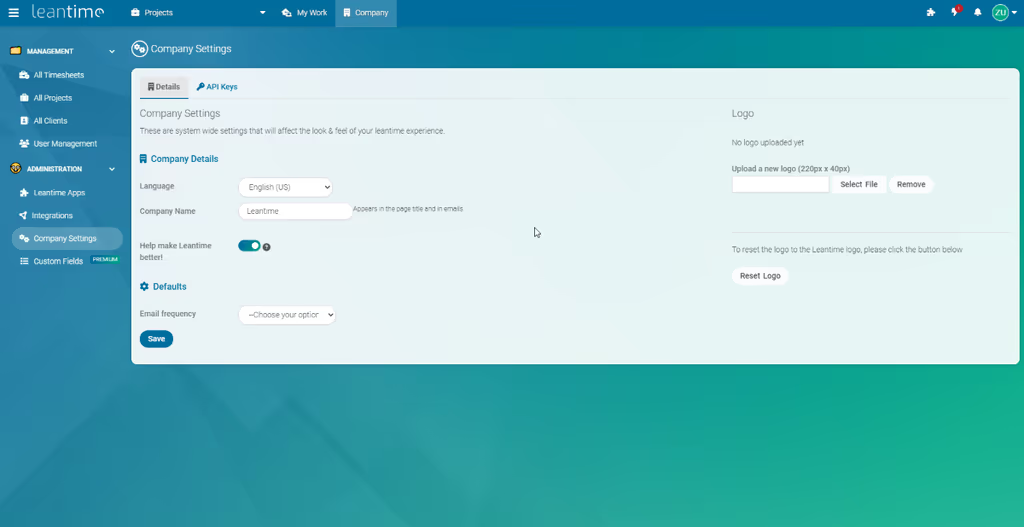
- Admin — users/roles, LDAP/OIDC, plugins, storage
- Extension — plugins + JSON-RPC API (+ MCP-related packages in modern
composer.json)
# Production-ish zip path (see README for release ZIP from GitHub Releases)
# 1) Empty MySQL database
# 2) Upload app; document root = public/
# 3) cp config/sample.env config/.env  # fill DB (+ mail)
# 4) Visit https://pm.example.com/install

# Official Docker (env names from README — adjust network/DB)
docker run -d --restart unless-stopped -p 8080:8080 \
  -e LEAN_DB_HOST=mysql_leantime \
  -e LEAN_DB_USER=admin \
  -e LEAN_DB_PASSWORD=secret \
  -e LEAN_DB_DATABASE=leantime \
  --name leantime leantime/leantime:latest
# Then open /install — use docker-compose if you need bundled MySQL
Requirements (README): PHP 8.2+, MySQL 8.0+ or MariaDB 10.6+, Apache/Nginx (IIS with notes), plus a long extension list (gd, pcntl, ldap, zip, …). Dev path: make build-dev / make run-dev (port 5080) with compose extras for maildev, phpMyAdmin, s3ninja.
Code analysis
Stack snapshot (from composer.json + README):
| Layer | Technology | Notes |
|---|---|---|
| Framework | Laravel ^11 | PHP ^8.2 |
| Database | MySQL / MariaDB via PDO | App data |
| Auth | Laravel Socialite + many IdP providers; 2FA (robthree/twofactorauth) | LDAP/OIDC and social/SSO options |
| API | Laravel Sanctum; JSON-RPC docs | Automation / integrations |
| Storage | Local filesystem or S3 (AWS SDK / Flysystem) | Files and media |
| PHPMailer | Notifications | |
| AI / agents | prism-php/prism, neuron-ai, laravel/mcp, qdrant client | Modern AI/MCP-oriented deps in core composer |
| Billing-related | stripe/stripe-php | Present in requires (SaaS/marketplace adjacency) |
| Quality | PHPStan, Pint/PHPCS, Codeception | make phpstan, unit/acceptance targets |
| License | AGPL-3.0-only | Plugins under /app/Plugins may use other licenses |
Strengths when I evaluate it:
- Breadth in OSS — tasks, goals, canvases, docs, time, retros without buying five tools
- Self-host + Docker — clear production and compose paths
- Extensibility — plugins, API, marketplace when core is not enough
- Laravel familiarity — PHP shops can reason about deploy,
.env, and queues/cache options - Product philosophy — neurodiversity / cognitive-load messaging is unusual and useful
Trade-offs / caveats:
- AGPL-3.0 — copyleft; understand obligations before SaaS wrapping or proprietary forks; plugin folder has explicit license exceptions
- Not a pure “thin board” — feature richness can still overwhelm if you enable everything day one
- Ops weight — PHP extensions (incl.
pcntl), MySQL, mail, and optional S3/LDAP; Docker helps but is not zero-ops - Support boundaries — upstream notes limited support for unofficial distribution platforms; prefer official compose/standard installs for help
- AI/cloud extras — treat AI and managed hosting as product-tier dependent; do not assume every marketing AI feature is free offline without checking docs
Env sketch (illustrative):
# config/.env — follow sample.env; names illustrative
LEAN_DB_HOST=127.0.0.1
LEAN_DB_USER=leantime
LEAN_DB_PASSWORD=secret
LEAN_DB_DATABASE=leantime
LEAN_APP_URL=https://pm.example.com
LEAN_EMAIL_RETURN=noreply@example.com
# Behind a reverse proxy on Docker, set LEAN_APP_URL to the public https URL
Why people use it
| Audience | Why Leantime fits |
|---|---|
| Small teams / agencies | Self-hosted PM + timesheets without per-seat ClickUp/Jira pricing |
| Freelancers / solopreneurs | My Work + goals without enterprise ceremony |
| Neurodivergent-friendly workflows | Explicit UX goals around overload and motivation |
| PHP / Laravel shops | Familiar deploy stack and extendable plugin/API surface |
| Privacy-conscious orgs | Keep projects and docs on their own servers |
| Teams leaving Trello | Need milestones, dependencies, and reporting without full Jira |
Skip it if you need a pure engineering issue tracker deeply integrated with git (GitHub Issues / Linear-class), refuse AGPL, or want a minimal sticky-note board with zero strategy features.
Conclusion
Leantime remains one of the strongest open-source PM options I follow for teams that want goals and execution in one place — self-hosted, Laravel-based, and intentionally designed for people who are not full-time project managers (repo, site, features, blog, docs).
Honest caveat: success is workflow adoption, not install. Start with My Work + one project’s kanban and milestones; add canvases, AI, and plugins only when the team already opens the app daily. And read the AGPL terms before you productize a hosted offering on top of it.