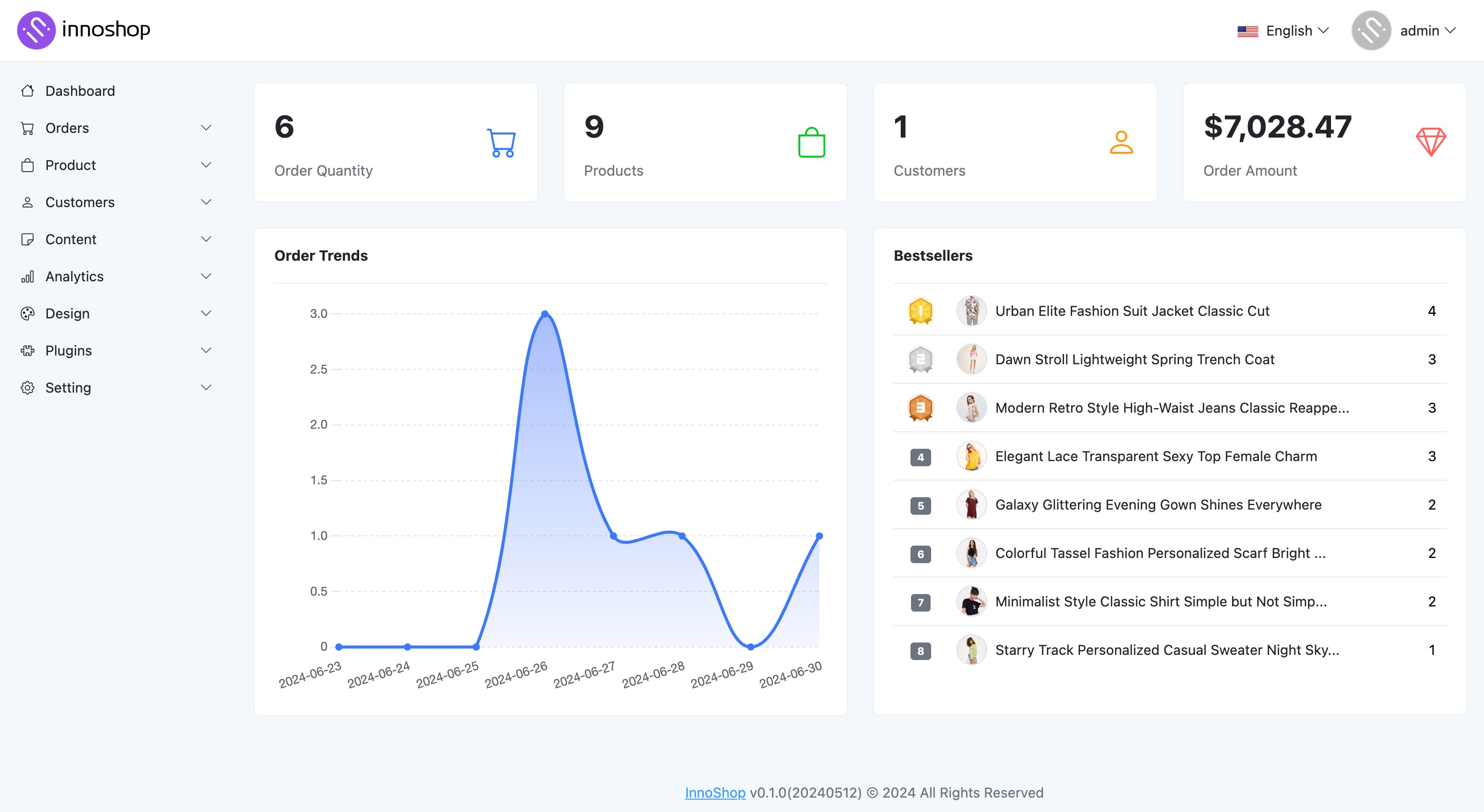
InnoShop is an open-source e-commerce system built on Laravel that I follow when I want a PHP shop stack oriented toward global commerce: native multi-language and multi-currency, AI-assisted content workflows, and a modular architecture meant for plugins and themes rather than a hard fork. The GitHub project positions it as an AI-powered Laravel e-commerce platform with a cohesive “innopacks” core, a plugins/ discovery model, and a themes/ layer for storefront customization. Install paths include composer create-project innoshop/innoshop, a release ZIP with compiled assets, or a git clone for contributors. Docs and live API explorers are published at docs.innoshop.cn/en, front-api.innoshop.cn, and panel-api.innoshop.cn, with a public demo at demo.innoshop.cn (panel at /panel — credentials are listed on the official README).
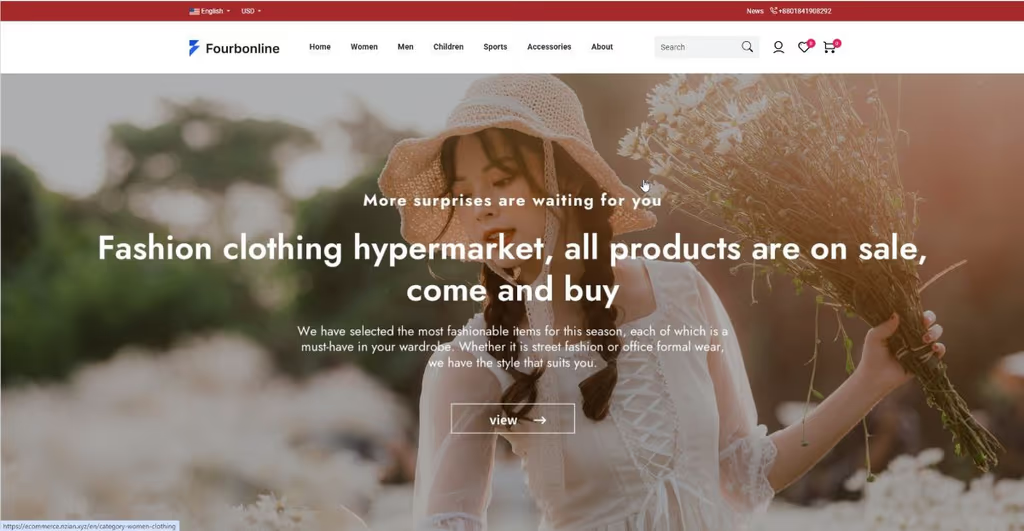
What I like most about InnoShop
I keep InnoShop on the shortlist next to other Laravel shops because the product surface matches how I actually ship store work: storefront + panel + APIs + extension points, not a thin cart library.
1. Laravel-native stack I can operate
Current composer.json targets PHP 8.3+ and Laravel 13 (laravel/framework: ^13.0), with familiar ecosystem pieces such as Sanctum, Horizon, Octane, Reverb, Socialite, Spatie Permission, Stripe/PayPal packages, and AWS S3 Flysystem.
Why it matters: Deploy, queue, and debug habits transfer from other Laravel apps instead of learning a foreign runtime.
2. Multi-language and multi-currency by design
README and product positioning call out global commerce: multiple languages and currencies as first-class capabilities, not bolt-ons.
Why it matters: Cross-border catalogs are a common reason teams outgrow single-locale Magento-lite or custom carts.
3. Innopacks modular core
Core domains live under innopacks/ with PSR-4 namespaces such as InnoShop\Front, InnoShop\Panel, InnoShop\RestAPI, InnoShop\Common, InnoShop\Plugin, InnoShop\AI, InnoShop\MCP, and InnoShop\Install.
Why it matters: Front, panel, and API concerns are separated cleanly enough to reason about customization without hunting through a monolith soup.
4. Plugin + theme extension model
Plugins live in plugins/ (Plugin\ namespace) with config.json + Boot.php, auto-discovered routes/views, and a hook system. Themes live in themes/ with layouts, assets, optional seeders, and Vite/SCSS build guidance in the theme docs.
Why it matters: Feature work can stay in a plugin/theme instead of forking core — closer to how I prefer long-lived Laravel shops to evolve.
5. Front and panel REST APIs
Dedicated explorers for front API and panel API, with RestAPI innopack routes (front-api / panel-api).
Why it matters: Headless or mobile clients, and custom admin tooling, have a documented path instead of scraping Blade.
6. AI / MCP-oriented packages
Composer pulls in laravel/ai, laravel/mcp, plus InnoShop\AI and InnoShop\MCP innopacks — aligned with the project’s “AI-powered” positioning (copy, translation, and related automation as marketed on the site).
Why it matters: Worth evaluating if catalog ops are content-heavy; still treat AI features as product surface to verify against your own providers and policies.
TIP
Try the public demo first (storefront / panel), then skim development docs for plugins, themes, and hooks before committing to a customize estimate.
Project structure
High-level layout from the repository and development docs:
| Path | Role |
|---|---|
innopacks/common/ |
Shared models, repositories, services |
innopacks/front/ |
Customer storefront controllers / views / routes |
innopacks/panel/ |
Admin panel |
innopacks/restapi/ |
Front + panel REST endpoints |
innopacks/plugin/ |
Plugin manager core |
innopacks/install/ |
Install wizard |
innopacks/ai/, innopacks/mcp/ |
AI / MCP modules |
plugins/ |
Third-party / custom plugins (Plugin\…) |
themes/ |
Storefront themes |
app/, routes/, resources/views/ |
Laravel app shell |
docs/ |
Project docs (e.g. releasing) |
Architecture mental model:
- Front — shopper UX (catalog, cart, checkout)
- Panel — merchant ops (products, orders, settings)
- RestAPI — machine clients for both surfaces
- Plugins / themes / hooks — extension without core forks
- Install — guided first-run (DB + admin)
composer create-project innoshop/innoshop
cd innoshop
php artisan serve
# wizard → database + admin account
Requirements called out upstream: PHP ≥ 8.3 (bcmath, cURL, DOM, fileinfo, libxml, OpenSSL, PDO, simplexml), Composer 2.x, Node ≥ 18 for asset builds (or use a release ZIP with prebuilt assets), MySQL 5.7+/8.0+ (SQLite for local try-out).
Code analysis
Stack snapshot (from composer.json + docs):
| Layer | Technology | Notes |
|---|---|---|
| Framework | Laravel 13 (^13.0) |
README text may still say “Laravel 12” in places |
| Language | PHP ^8.3 | Extension list is strict |
| Auth / API | Sanctum, Socialite | Panel/front API style |
| Jobs / realtime | Horizon, Reverb, Octane | Ops surface for production |
| Permissions | spatie/laravel-permission | Role/permission patterns |
| Payments | Stripe, PayPal, EasyWeChat | Region-dependent checkout |
| Media / files | Intervention Image, S3 Flysystem | Catalog assets |
| Extensibility | Plugins + themes + Eventy hooks | Documented plugin/theme guides |
| License | OSL-3.0 | Check license fit before commercial redistribute |
Strengths when I evaluate it:
- Laravel familiarity — queues, env, migrations, and package ecosystem match my day-to-day
- Clear extension story — innopacks + plugins + themes + hooks (plugin guide)
- API explorers published — front/panel Scribe-style docs are easy to share with a client
- Global commerce defaults — i18n / multi-currency called out as product pillars
Trade-offs / caveats:
- Docs and demo are strongest in the InnoShop CN ecosystem; English docs exist but depth can vary by page
- AI features depend on configured providers and product maturity — verify before selling “AI shop” promises
- Plugin PSR-4 casing rules are strict (directory name must match namespace) — easy footgun on first plugin
- Production still needs the usual Laravel ops: scheduler, queues/Horizon, Redis where used, and WebSocket/Supervisor notes from their docs
Why people use it
| Audience | Why InnoShop fits |
|---|---|
| Laravel developers | Shop core in a stack they already deploy |
| Cross-border merchants | Multi-language / multi-currency orientation |
| Teams that customize often | Plugins + themes instead of permanent forks |
| Agencies evaluating OSS carts | Demo + API docs make a short proof-of-concept realistic |
| Builders exploring AI catalog ops | AI/MCP packages are part of the upstream story |
Skip it if you need a pure headless commerce engine with a huge Western plugin marketplace day one, or if the team cannot run a modern Laravel (PHP 8.3+) host.
Conclusion
InnoShop is one of the more interesting Laravel-native open-source commerce options I follow: modular innopacks, real front/panel split, plugin/theme extension, and published API explorers (repo, docs).
Honest caveat: treat marketing claims (especially AI) as features to verify on the demo and in a staging install — the architecture looks solid for Laravel shops, but fit still depends on your catalog complexity, payment regions, and how much custom plugin work you expect.