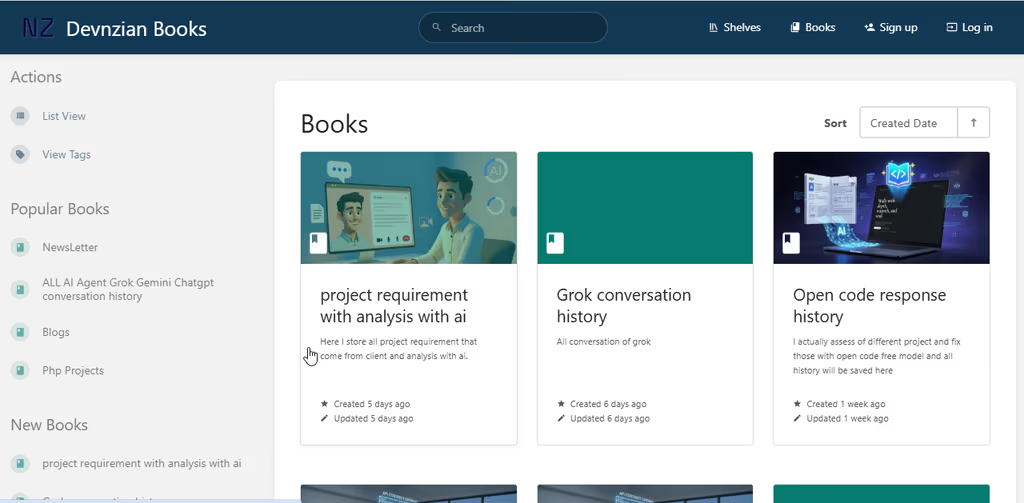
BookStack is simple, free, MIT-licensed wiki software for organising and storing information on your own infrastructure. I follow it when a team outgrows scattered Google Docs / Notion exports and wants a pleasant, opinionated docs home that non-developers can edit. The official site, docs, demo, and screenshots show the product clearly; source lives primarily on Codeberg (with GitHub / source.bookstackapp.com as alternate mirrors). Issues are tracked on Codeberg; release news and security notes appear on the blog.
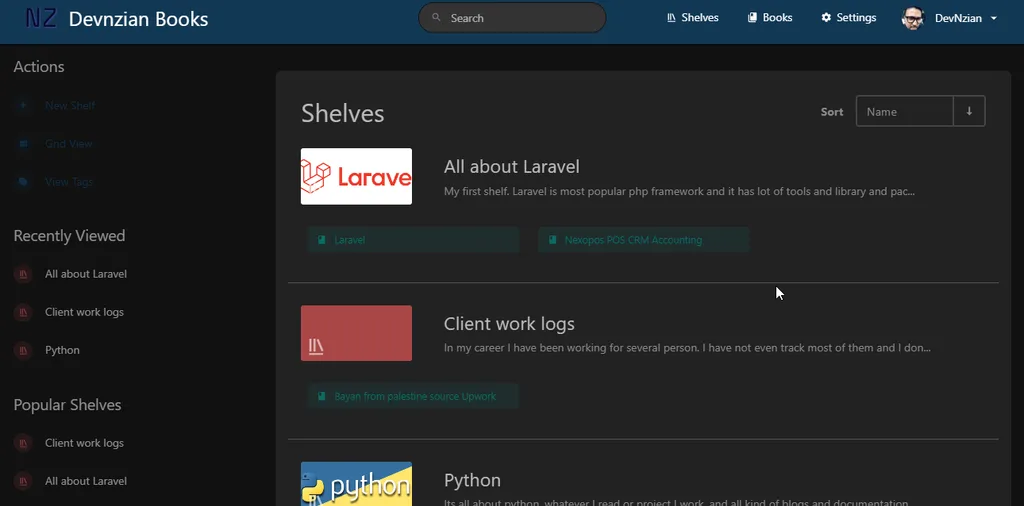
What I like most about BookStack
I reach for BookStack when the job is a usable knowledge base, not a custom CMS with a wiki bolted on.
1. Books → chapters → pages (opinionated and teachable)
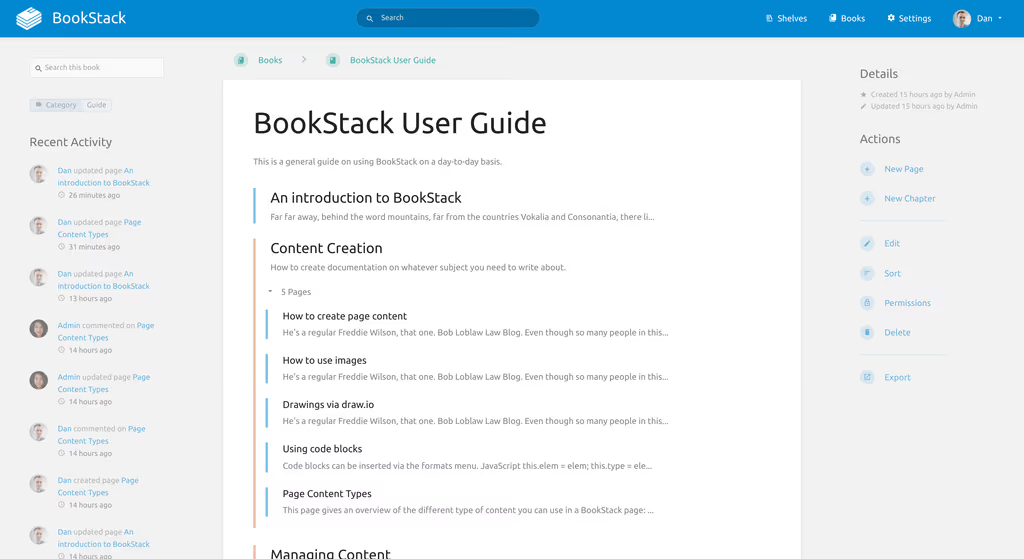
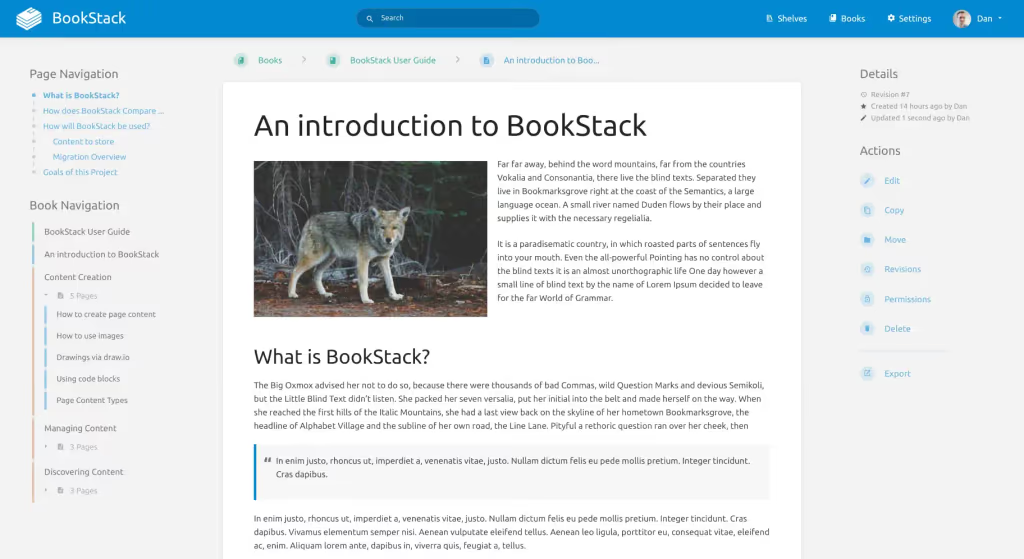
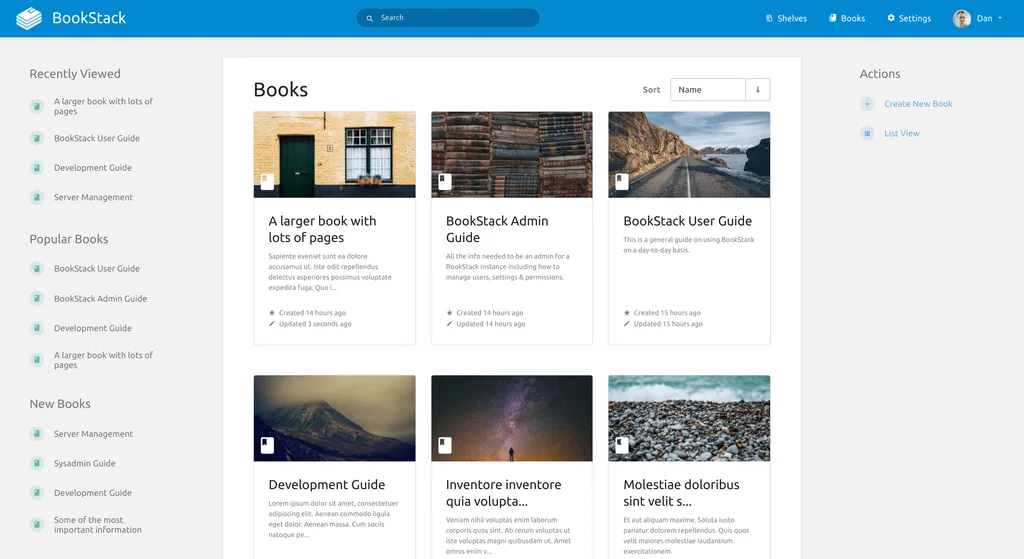
Content is grouped into real-world containers — books, chapters, and pages — with shelves for higher-level organisation. The project definition stresses a pleasant out-of-the-box experience where basic word-processing skills are enough to contribute (README).
Why it matters: New hires can find “how we deploy staging” without learning a second product taxonomy.
2. Editors that match how people write
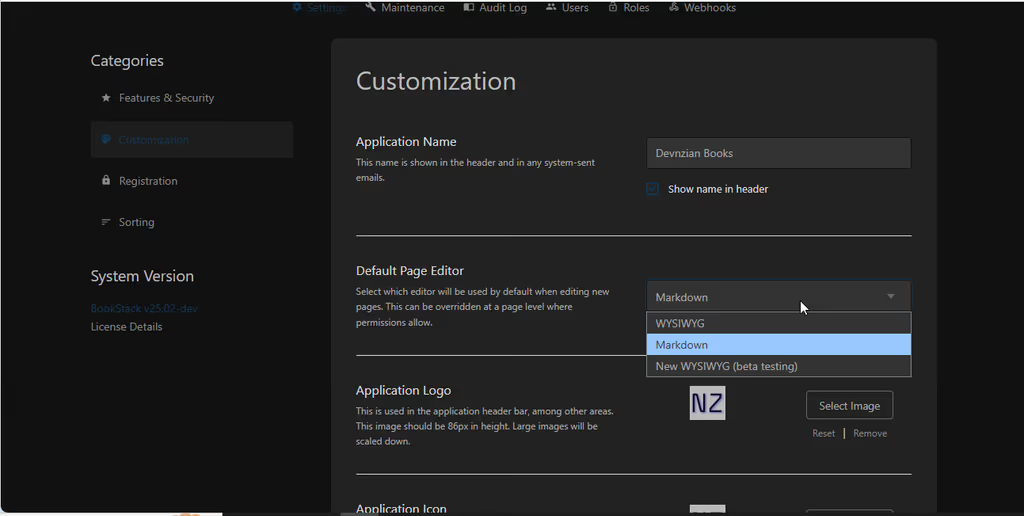
Default WYSIWYG for most users, optional Markdown with live preview, plus built-in diagrams.net drawing in the page editor (features).
Why it matters: Ops diagrams and prose can live in the same page without exporting Draw.io elsewhere.
3. Search, deep links, and revisions
Global and book-scoped search, paragraph-level linking, page revisions, image management, and cross-book sorting.
Why it matters: Docs stay connected and recoverable when someone “improves” a runbook.
4. Roles, MFA, and enterprise-friendly auth
Full role/permission model, MFA (TOTP + backup codes, enforceable per role), plus OIDC, SAML2, LDAP, and social secondary auth options (site features, auth docs).
Why it matters: Internal wikis usually need “public handbook vs private ops” boundaries and SSO into an existing IdP.
5. Light hosting footprint on a familiar stack
PHP on Laravel, MySQL/MariaDB for data — marketed as runnable on a small VPS. Admin install paths include manual git/composer, community Docker, and Ubuntu LTS scripts (installation).
Why it matters: For Laravel shops, deploy/debug habits transfer; for small teams, ops cost stays modest.
6. Clear product boundaries
BookStack is explicitly not positioned as an extensible platform for unrelated use cases — it aims to stay a documentation tool with a stable upgrade path (project definition). Customisation without forking is documented under Hacking BookStack.
Why it matters: You know what you are adopting; you are less likely to fight the product into becoming a CRM.
TIP
Try the public demo first (DB/images reset periodically; some admin actions restricted). For production, follow installation — PHP ≥ 8.2, MySQL ≥ 8.0 or MariaDB ≥ 10.6, document root on public/, then change the default admin credentials immediately.
Project structure
BookStack is a Laravel application (BookStack\ PSR-4 under app/). High-level layout from the repository:
| Path | Role |
|---|---|
app/ |
Application code (BookStack\ namespace) |
resources/ |
Blade views, JS/CSS sources (edit here — not built assets in public) |
public/ |
Web document root + built front-end assets |
database/ |
Migrations / factories / seeders |
config/ |
Laravel + BookStack configuration |
routes/ |
HTTP routes |
tests/ |
PHPUnit suite |
dev/ |
Development docs, licensing helpers, tooling |
Mental model:
- Content hierarchy — shelves → books → chapters → pages
- Auth & ACL — users, roles, MFA, OIDC/SAML/LDAP
- Editor surface — WYSIWYG / Markdown / diagrams.net
- Ops —
.env, mail, storage (local or S3), backups,/statushealth check for HA-style setups
# Manual install (release channel) — see official docs for full steps
git clone https://github.com/BookStackApp/BookStack.git --branch release --single-branch bookstack
# Prefer Codeberg / source.bookstackapp.com mirrors if that is your source of truth
cd bookstack
composer install --no-dev
cp .env.example .env
# Configure DB + mail in .env; make storage, bootstrap/cache, public/uploads writable
php artisan key:generate
php artisan migrate
# Point the web server DocumentRoot / root at ./public
# Default login on fresh installs: admin@admin.com / password — change immediately
Ubuntu LTS install scripts and community Docker options (e.g. linuxserver.io, solidnerd) are listed on the installation page. Shared PHP hosting is not supported.
Code analysis
Stack snapshot (from composer.json + project docs, development branch):
| Layer | Technology | Notes |
|---|---|---|
| Framework | Laravel ^12 | PHP ^8.2 |
| Database | MySQL ≥ 8 / MariaDB ≥ 10.6 | Content + app data |
| Editors | TinyMCE, Lexical, CodeMirror, markdown-it | WYSIWYG / Markdown UX |
| Diagrams | diagrams.net (embedded) | In-editor drawings |
| Auth | Socialite + OIDC/SAML/LDAP packages | Enterprise SSO paths |
| MFA | pragmarx/google2fa, BaconQrCode | TOTP + QR |
| Export / PDF | Dompdf, KnpSnappy / wkhtmltopdf | Document export options |
| Storage | Flysystem (+ S3 optional) | Uploads off-box when needed |
| Search / content | League CommonMark, HTML Purifier | Safe rendering + Markdown |
| License | MIT | Free to self-host |
Strengths when I evaluate it:
- Product completeness for team docs — structure, search, permissions, revisions
- Laravel familiarity — env, queues/cache options, artisan, reverse-proxy deploy
- Auth depth — MFA + SAML/OIDC/LDAP without bolting on a separate IdP UI
- Stable upgrade culture —
releasebranch channel; blog posts for security releases - Honest scope — documentation platform, not a plugin marketplace CMS
Trade-offs / caveats:
- Opinionated — if you need a free-form Notion clone or arbitrary app platform, you will fight the books/chapters model
- Not shared-hosting friendly — needs proper PHP CLI, Composer, and writable paths
- Extension via hacking, not plugins — prefer Hacking BookStack / themes over deep forks
- You own backups and upgrades — self-host means git pull +
composer install+ migrate discipline - Source/issue home is Codeberg-first; use the mirror you intend to follow for updates
Env sketch (illustrative):
# .env — follow .env.example; names illustrative
APP_URL=https://docs.example.com
DB_CONNECTION=mysql
DB_HOST=127.0.0.1
DB_DATABASE=bookstack
MAIL_MAILER=smtp
# Optional: LDAP/SAML/OIDC vars per auth docs; S3 for uploads if not local disk
Why people use it
| Audience | Why BookStack fits |
|---|---|
| Small teams / SMEs | Free MIT wiki that non-devs will actually edit |
| Ops / engineering | Runbooks with search, deep links, and revisions |
| Privacy-conscious orgs | Keep internal docs off Notion/Google |
| Laravel / PHP shops | Familiar deploy and debug stack |
| Enterprises with SSO | OIDC, SAML2, LDAP + role MFA |
| Client-facing handbooks | Public vs private visibility and branding (name/logo) |
Skip it if you need collaborative real-time editing like Google Docs, a general CMS/blog, or a highly extensible plugin platform — BookStack’s own project FAQ and definition steer away from that.
Conclusion
BookStack remains one of the strongest self-hosted documentation options I follow on PHP/Laravel: simple books/chapters/pages UX, real search and permissions, SSO/MFA when you need them, and a clear “docs product” identity (site, docs, demo, Codeberg, GitHub, blog).
Honest caveat: success is mostly information architecture and adoption, not install. Seed the first critical runbooks, set roles early, and schedule backups — an empty wiki with perfect SSO still loses to Slack tribal knowledge.