eClass is a Laravel learning management system sold on CodeCanyon by media-city — course sales, instructor tools, live classes (Zoom, Google Meet, Jitsi, BigBlueButton), drip content, certificates, multilingual/RTL support, and marketing features including built-in OpenAI tooling on recent builds. The public product demo lives at eclass.mediacity.co.in (Laravel 10, PHP 8.2).
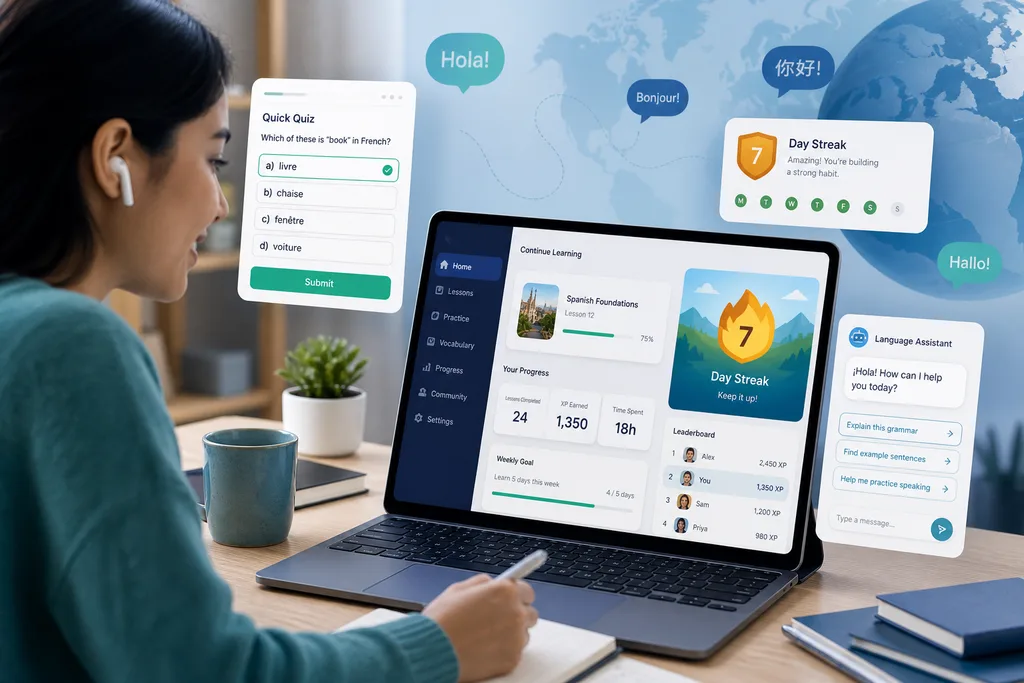
For a UK client, the goal was not a generic course marketplace. They wanted learners to pick up languages by playing games and taking quizzes inside the LMS. They purchased eClass as the base platform; I handled customization work to shape it toward that model.
Best match use case
eClass fits when you need a full Laravel LMS backbone from CodeCanyon and are willing to extend course content and UX around a specific teaching model — not only the stock demo courses.
| Situation | Why this engagement pattern fits |
|---|---|
| Language school / edtech startup (UK or EU) | eClass already handles courses, students, instructors, payments, and live classes |
| Learning through quizzes and games, not video-only | Stock LMS flows need extra content types and lesson structure |
| Learners who need in-app guidance | Custom AI chatbot can answer “how do I…” without support tickets |
| Buy-then-customize on CodeCanyon | Cheaper to extend eClass than greenfield when timelines are tight |
The problem
The client’s product vision was clear: learn languages by participating in games and quizzes. Stock eClass is built as a broad online-course platform — great for selling lessons, running live classes, and managing instructors — but it does not ship ready-made for a game- and quiz-first language curriculum.
Friction on this engagement:
- Course and lesson models needed to carry quiz and game content, not only video/text chapters
- Learners unfamiliar with LMS navigation would stall without contextual help
- The client bought the script expecting targeted customization, not a theme swap
- Stock OpenAI features in eClass lean toward marketing/admin tooling (product site); the client also needed a user-facing assistant for efficient site use
What I built
Scoped customization on eClass for the UK language-learning direction:
1. Quiz and game content in the LMS
Extended how course content is presented so learners can work through quiz and game-based activities as part of the learning path — wired into eClass’s course/lesson structure rather than bolting on a separate app.
2. AI chatbot integration
Integrated an AI chatbot so users can get help using the website efficiently — finding courses, understanding flows, and common “how do I…” questions without leaving the learning experience.
TIP
I do not promote buying any particular CodeCanyon LMS. This page is case notes from real client work on eClass toward quiz/game language learning and guided UX.
Audit and plan
Before adding quiz/game modules or a chatbot, I map how the client’s learning model maps onto eClass’s course, enrollment, and role model.
- Laravel / eClass version and PHP env (vendor requirements: PHP 8.2+, Laravel 10)
- Instructor vs student journeys and where quizzes/games sit in a lesson
- Existing content types vs new quiz/game payloads
- Where the chatbot should appear (global widget, course context, onboarding)
- Staging checklist: enroll, play quiz/game, progress, chatbot smoke tests
Fit checklist (excerpt)
$audit = [
    'laravel'   => app()->version(),
    'targets'   => [
        'quiz_game_content' => true,
        'ai_chatbot'        => 'site_guidance',
        'client_region'     => 'UK',
    ],
    'failing'   => ['lesson_flow', 'student_onboarding'], // reproduce each
];

return response()->json($audit);
Comparison — fix vs feature vs rewrite
| Approach | Effort | When to choose |
|---|---|---|
| Surgical fix | Low–medium | One broken lesson type or chatbot placement |
| Scoped feature | Medium | Quiz/game content + chatbot in one release |
| Partial rewrite | High | Core course model fights the game-first curriculum |
Implementation notes
Typical shape of the work on eClass:
- Course/lesson views and admin inputs updated for quiz and game content
- Data/model or config changes so progress and enrollment still respect eClass rules
- Chatbot embedded with prompts scoped to site navigation and learning tasks — not open-ended marketing copy
- Staging walkthrough with the client on UK-facing learner flows
Prefer extending eClass’s existing course builder and student dashboard over forking the whole LMS.
Outcome
The UK client’s install moves toward a language-learning LMS where participation in quizzes and games is central, with an AI assistant helping learners use the site without constant manual support. Further course catalog and content work stays on their roadmap; this engagement covered the platform customization layer on top of purchased eClass.
Conclusion
If you bought eClass (or similar) for an edtech idea that stock demos do not show — game-like language learning, custom assessments, or an AI guide for learners — a focused customization pass usually beats restarting from scratch.
Need the same kind of audit, quiz/game content work, or chatbot integration? Contact me or see Hire me.